IDEMIA DOCUMENT – REPRODUCTION AND DISCLOSURE PROHIBITED
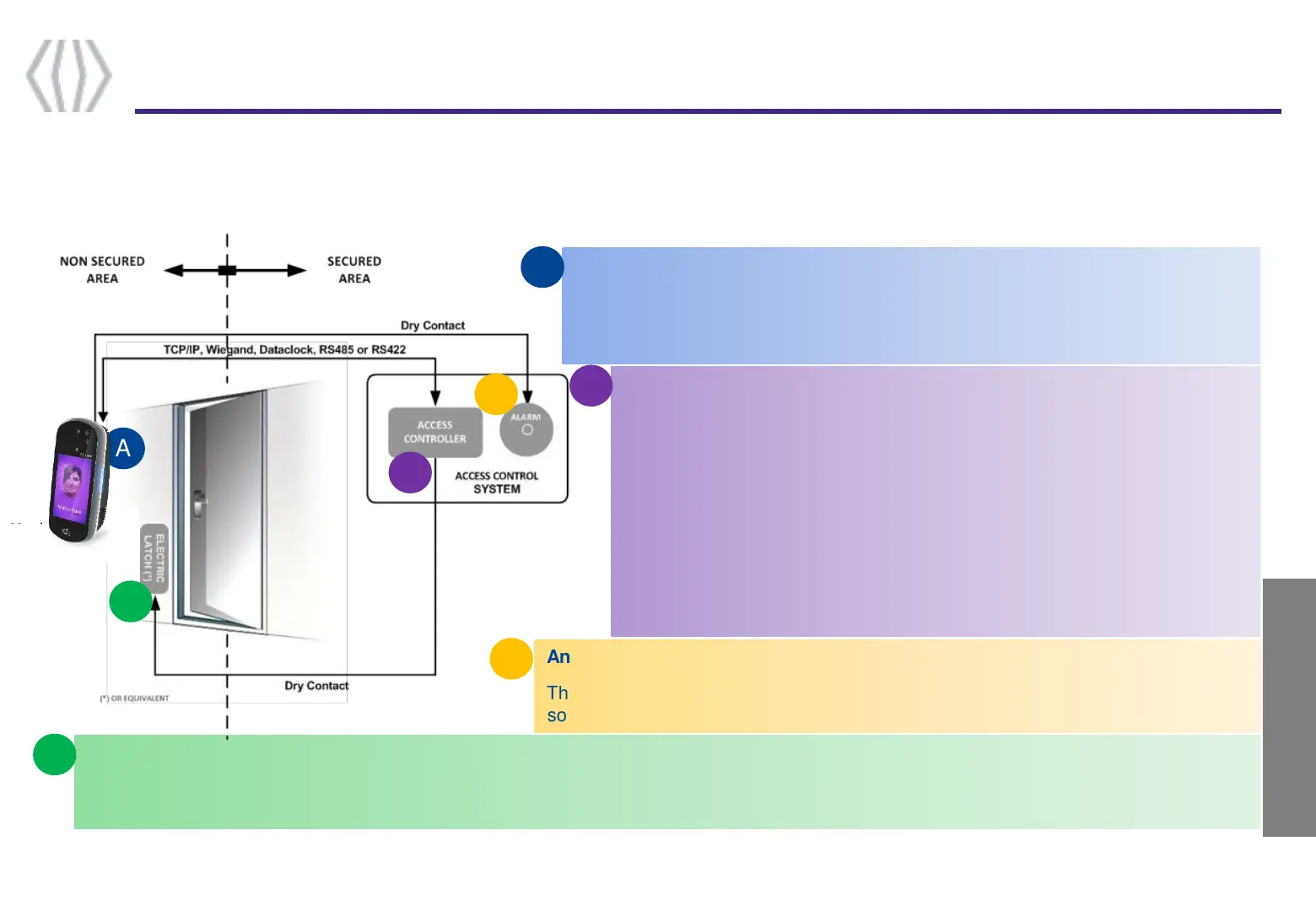
To secure an access, IDEMIA recommends installing the VisionPass terminal as a part of a typical Access Control system, which
consists of the components described below.
Terminal Implementation
7
Step one : overview
The VisionPass terminal
Its role is to process the access request from the user. It performs access right
checks using one-to-many biometric identification or one-to-one biometric
verification, and/or RF card authentication, and/or PIN check.
A Door Electric Latch or equivalent (3rd party product)
The Access Controller sends a command to activate the latch if the access is granted (i.e. if the individual's User ID is listed in the Controller
authorized user List). Control of the latch is made through a dry contact..
An Alarm (3rd party product)
The terminal sends a message to the Access Controller, to activate the Alarm as
soon as a malicious activity, such as tamper or pulling, is detected
An Access Controller (3rd party product)
The terminal interfaces with an Access Controller (using TCP/IP, Wiegand,
Data Clock, RS485 or RS422 protocol):
After access request, the terminal sends the result of user’s access rights to
the Access Controller (this message contains at least the User ID)
The Access Controller performs additional checks, and returns the final
decision (access granted/denied) to the terminal (which displays the result to
the user), and to the door controller which opens the door (if the access has
been granted).
B



 To Next Page