Need help?
Do you have a question about the iDevices iGrill 2 and is the answer not in the manual?
Details the iDevices Connected app and its compatibility with smart devices.
Instructions on how to replace the batteries in the iGrill².
Steps to turn the iGrill² on and off, including auto shut-off features.
Guide on connecting the iGrill² to a smart device via Bluetooth.
Information on how to position the iGrill² using its magnetic base or disc.
Explains the acceptable temperature ranges and usage guidelines for meat and ambient probes.
Instructions on how to properly wrap and store probes using the included wraps.
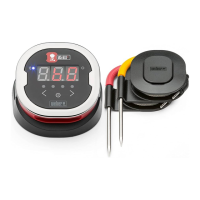
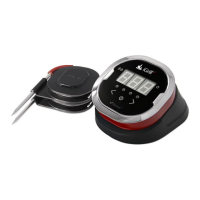
Explains the information shown on the iGrill² display, including temperature and status codes.
Describes the meaning of the Bluetooth LED indicator states for pairing.
Explains the function of the LEDs indicating which probe's temperature is displayed.
How to switch between probe temperatures using the device buttons.
Details the auto wake/sleep function based on smart device proximity.
How to set up custom and preset temperature alarms in the app.
Instructions for naming probes and assigning them colors within the app.
Guide on setting up and managing timers using the iGrill² app.
Overview of the Globe Tool for sharing and viewing cooking experiences.
Explains how to view and export temperature progression graphs from the app.
 General
| Temperature Range | -22°F to 572°F (-30°C to 300°C) |
|---|---|
| Battery Life | 200 hours |
| Number of Probes | 4 |
| App Compatibility | iOS and Android |
| Connectivity | Bluetooth |
| Bluetooth Range | 150 feet (unobstructed) |
| Battery Type | AA batteries |

 To Next Page