Need help?
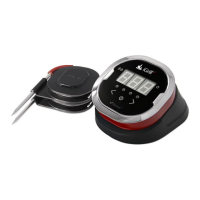
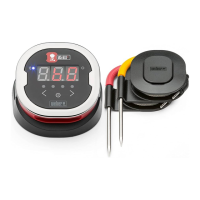
Do you have a question about the iDevices iGrill and is the answer not in the manual?
Instructions for installing and verifying correct battery insertion into the iGrill unit.
Details on how to connect temperature probes to the iGrill device.
How to switch between Fahrenheit and Celsius units on the iGrill.
Steps to clear previous Bluetooth pairings from the iGrill device.
Instructions on how to turn the iGrill device on.
Procedure for connecting the iGrill to an Apple device via Bluetooth.
Troubleshooting steps for unresolved Bluetooth connection issues.
Guide on how to set temperature alarms directly on the iGrill device.
Steps to turn off temperature alarms set on the iGrill device.
Instructions on how to register the iGrill purchase through the app.
Explanation of location service permissions for the iGrill Pro App.
Screenshots and description of the initial app interface for iPhone and iPad.
How to change the name of connected temperature probes within the app.
Guide to managing Apple device and iGrill App alarms, including preset alarms.
Instructions on how to create and manage timers within the iGrill Pro App.
Using the graph tool to view temperature progression and export data.
Description of the globe tool for viewing other users' iGrill application data.
Accessing manuals, videos, FAQs, and contact information via the app's info section.
Overview of the app's settings screen for battery, units, and alarm sounds.
Guidance on using the iGrill without a paired device.
Troubleshooting steps for issues accessing the iGrill Pro App.
Detailed steps to resolve Bluetooth pairing problems with an Apple device.
How to manage calls while using the iGrill App to maintain functionality.
Steps to resolve app freezing issues by force closing and relaunching.
Instructions for switching the iGrill connection between different Apple devices.
 General
| Connectivity | Bluetooth |
|---|---|
| Probe Material | Stainless steel |
| App Compatibility | iOS and Android |
| App Support | iDevices Connected App |
| Temperature Range | -22°F to 572°F (-30°C to 300°C) |

 To Next Page