10
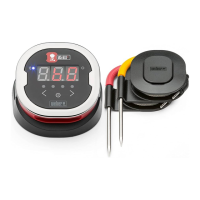
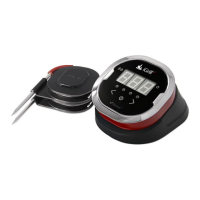
The iGrill
2
has two buttons adjacent to the power button to toggle
between probes when there is more than one probe connected.
• Pressing the < or > button will switch from the currently displayed
probe temperature (as indicated by the illuminated probe indicator
LED) to the next probe.
• Holding either the < or > button down for one second will activate
a cycle that will continuously cycle through displaying each probe’s
temperature.
• Pressing the <, >, or power button while the alternating display
cycle is activated will disable the display cycle.
Proximity Sensor
The use of Bluetooth Smart allows the iGrill
2
to sense when a paired smart
device moves in or out of range. The iGrill
2
will automatically wake and
sleep at the below distances to conserve power:
• Sleep ~ 30 feet away
• Wake ~ 5 feet away
*Proximity function based on Bluetooth signal strength. Signal strength
is inuenced by a number of factors including the smart device
and environment.
Custom & Preset Alarms
Manage iPhone, iPad or iPod touch alarms:
If you are having issues hearing the alarms from the iDevices Connected
app, try these steps:
• Open Settings on your smart device
• Tap “Notication Center”
• Choose the iDevices Connected app and make sure to enable
notications, including “Sounds” and “Alerts”


 To Next Page