Custom Preset Alarms:
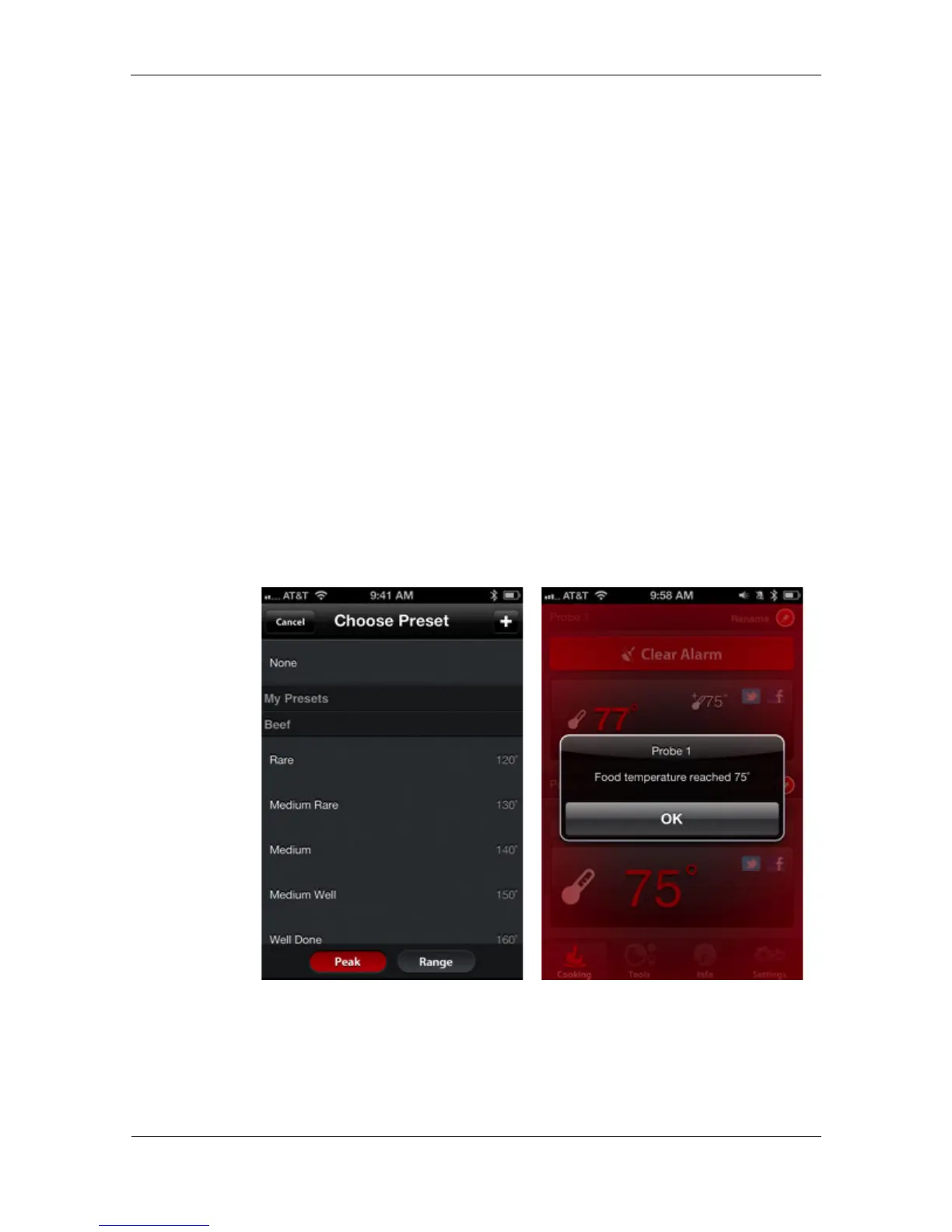
Custom preset alarms can be made in two styles, peak and range.
Tapping “Peak” or “Range” at the bottom screen will switch between the
range types.
Peak: Alarm will sound when probe temperature hits set peak
temperature.
Range: Alarm will sound when probe temperature is over the top
temperature or when it is below the low temperature.
Creating a custom preset alarm:
• Tap the plus icon [+] in the top right corner of the alarm screen.
• Title your preset.
• Set temperature(s).
• Tap “Done.”
NOTE: Your custom preset will be saved in the My Presents section of
the alarm screen.
The iGrill Pro App alarms will alert you with a notification when your food
is ready.


 To Next Page