Operator Manual
Aspect 100-4T and ISR
L100-2843 Rev. E www.imagediagnostics.com 19
8.5. FOOT ACTUATED MOTION CONTROLS
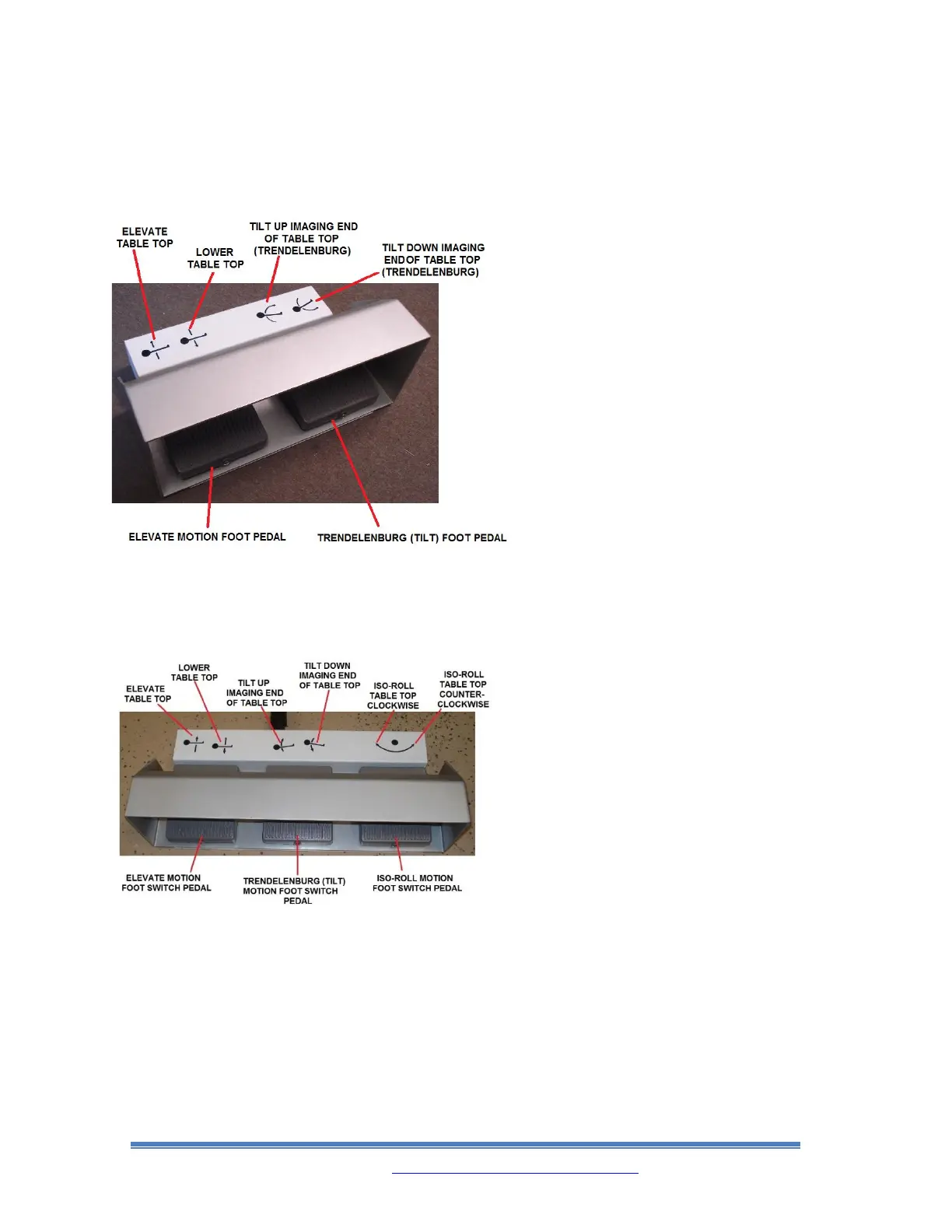
100-4T FOOT SWITCH CONTROL
Foot Switch activated control motions
for the Aspect 100-4T Tabletop are:
elevate/lower and Trendelenburg
down/up. (Safety hood helps avoid
accidental motorized table movement
from Foot Switch).
• When the Trendelenburg Foot Pedal
is used, the tabletop motion will stop
at level position for 1 second before
motion begins again. When the
Table’s Trendelenburg position is
already level and the Trendelenburg
Foot Pedal is pressed, it will take 1
second before the motion of the
Tabletop begins.
ISR FOOT SWITCH CONTROL
Foot Switch activated control motions
for the Aspect ISR table are: ISO-Roll,
Trendelenburg down/up and
elevate/lower. (Safety hood helps avoid
accidental motorized Table movement
from Foot Switch Control).
• When the Trendelenburg Foot
Switch Pedal is used, the Tabletop
motion will stop at level position for
1 second before motion begins again.
When the Table’s Trendelenburg
position is already level and the
Trendelenburg Foot Switch Pedal is
pressed, it will take 1 second before
the motion of the tabletop begins.
• When the ISO-Roll Foot Switch Pedal
is used, the Tabletop motion will stop
at level position. When this happens,
release and repress the ISO-Roll Foot
Switch Pedal again to continue the
motion.



 To Next Page