Operator Manual
Aspect 100-4T and ISR
L100-2843 Rev. E www.imagediagnostics.com 18
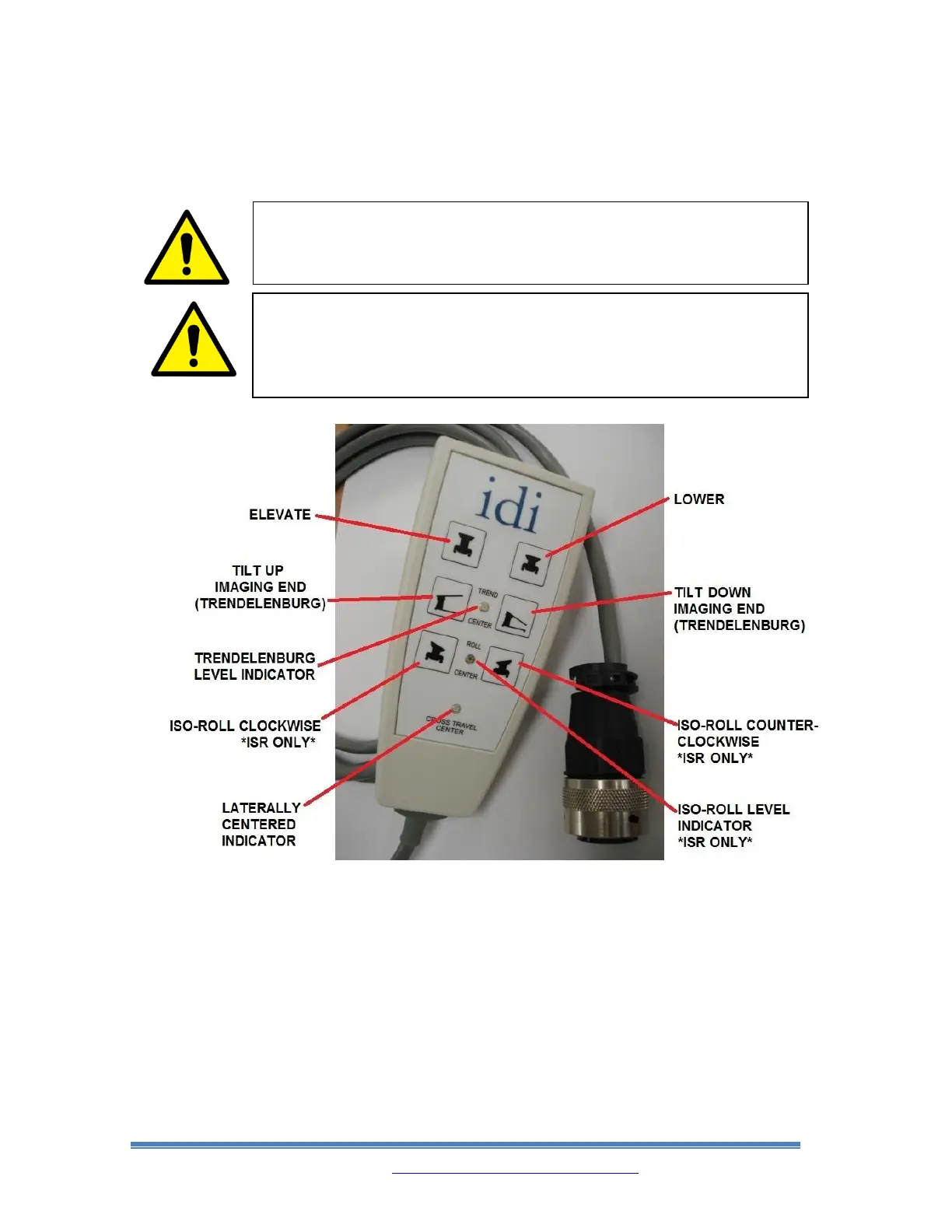
8.4. TABLETOP MOTION HANDSET CONTROLS
• When using the Handset Control shown above, each button must be held down to
get continuous motion of the tabletop. Motions will stop as soon as the button is
released.
• When the Trendelenburg (tilt) function buttons are used, the Tabletop motion will
stop at level position for 1 second before motion begins again. When the Table’s
Trendelenburg (tilt) position is already level and the Trendelenburg buttons are
pressed, it will take 1 second before the motion of the Tabletop begins.
• When the ISO-Roll function buttons are used (ISR only), the Tabletop motion will
stop at level position. When this happens, release and repress the button again to
continue the motion.



 To Next Page