11
Login
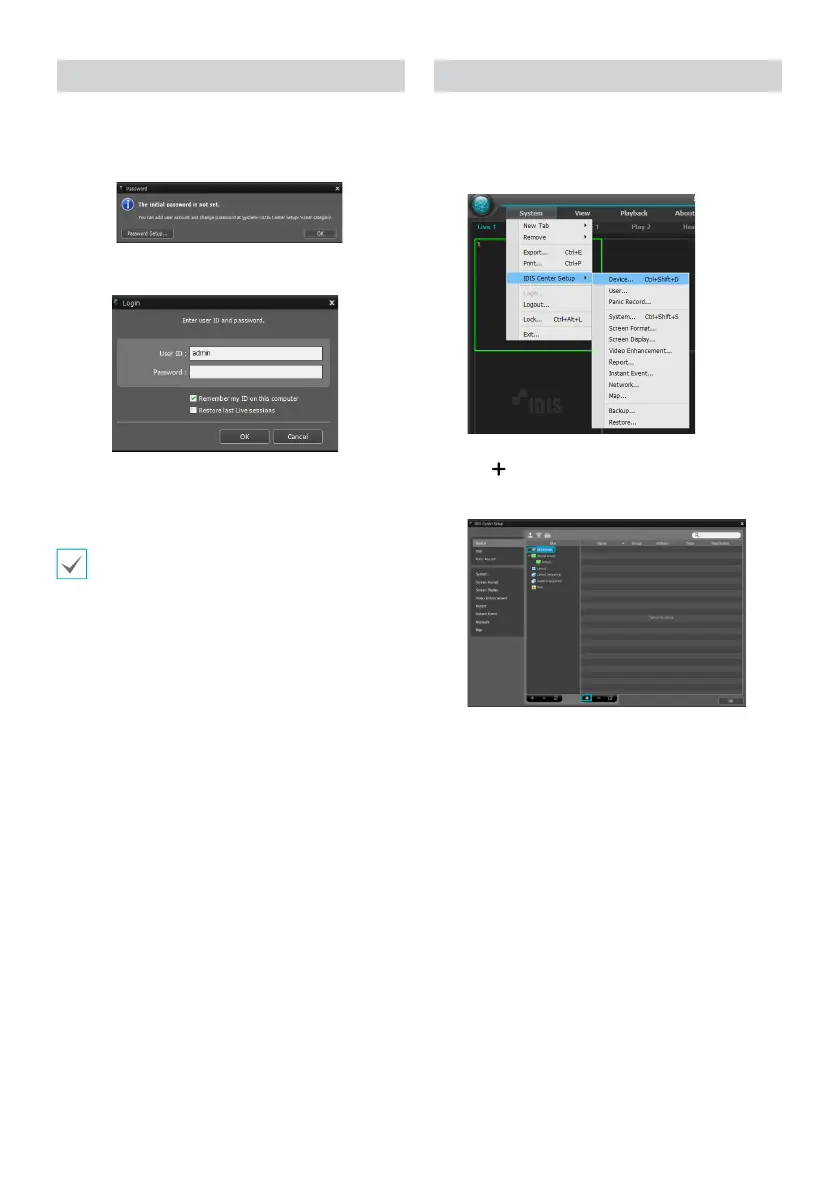
This program does not have a password set by default.
Leaving the admin account unassigned with a password
poses a security risk. Please assign a password at your
earliest convenience.
Once the program is running, you must login.
Enter a User ID and Password.
● Remember my ID on this computer: Remembers the ID
used to login.
● Restore last Live sessions: Restores the previous Live
session on the current Live panel.
• Default User ID is "admin" without a password.
• You can change User ID and Password in the User
menu.
Device Registration
To use the functions provided by IDIS Center, you must rst
register a device and add the device to a device group.
1
Select System > IDIS Center Setup > Device in the
menu at the top of the screen.
2
On the Site panel, click on All Devices, then click on
the
button at the bottom of the Site List panel on
the right. A Device Scan window will appear on the
screen.
3
After selecting a scan mode, click on Start Scan
button and the scan results will be displayed on the
list.
4
Click Add Devices at the bottom of the Device Scan
window.



 To Next Page