6
Getting Started
Login
Conguring the DVR's settings and accessing its searching
and other functions require an authorized user login.
1
Bring up the Live menu and either press the Setup
button on the remote control or click on
(Log in)
using the mouse.
2
Select a user, enter the password, and then select OK.
• If you do not know the password, click the
button for guidance.
• There is no default password for the admin
account. Select admin and then OK without
entering a password to log in.
• Leaving the admin account unassigned with
a password poses a security risk. Please assign
a password at your earliest convenience. A
warning message will continue to be displayed
until a password is assigned.
• Click on the
button next to the password
eld using the mouse. This will bring up a
virtual keyboard you can use to assign a
password.
3
To log out, bring up the Live menu and click on (Log
out) using the mouse.
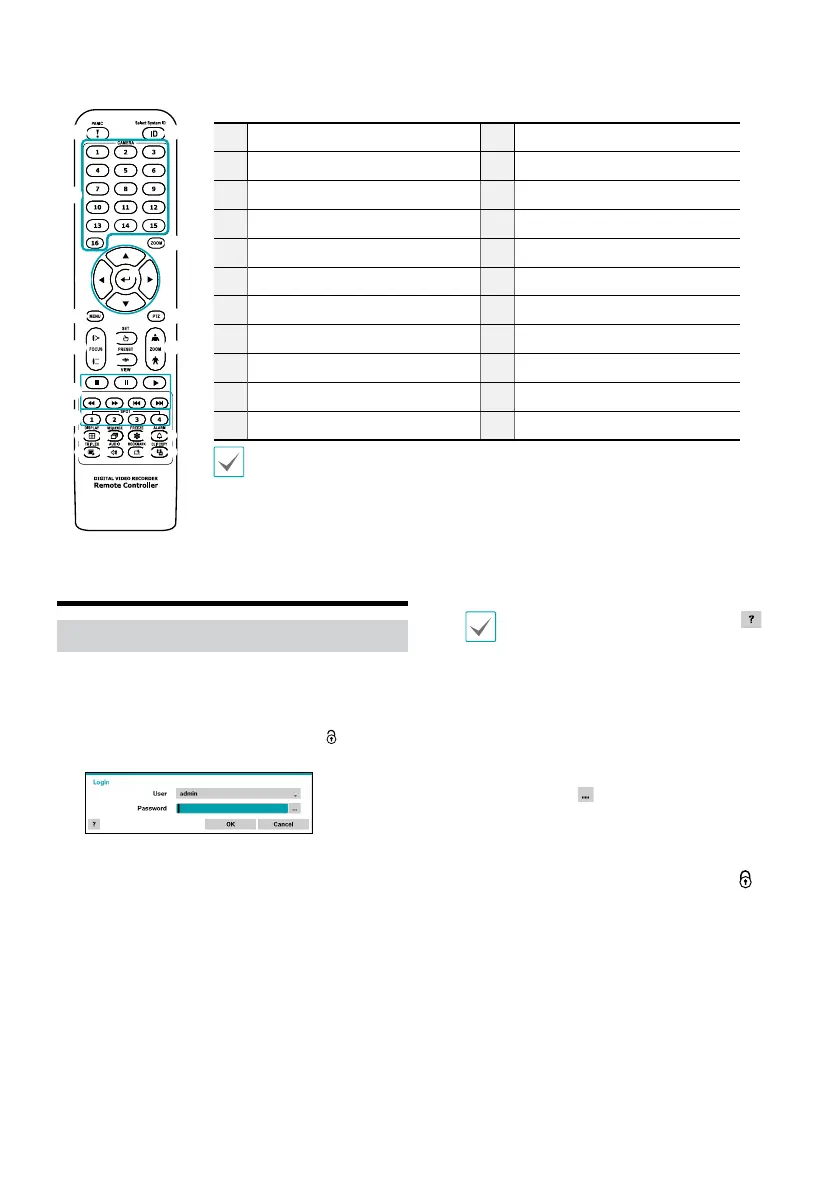
Remote Control (Optional)
1
3
@
5
2
4
6 7
#
!8
$ % ^ &
* (
)
a
9
0
b
1
ID Button
2
Panic Button
3
Camera Buttons
4
Zoom Button
5
Arrow Buttons
6
Menu Button
7
PTZ Button
8
Focus near/far Buttons
9
Preset Set Button
0
Preset View Button
!
Zoom in/out Buttons
@
Playback Buttons
#
Spot Buttons
$
Display Button
%
Sequence Button
^
Freeze Button
&
Alarm Button
*
Triplex Button
(
Audio Button
)
Bookmark Button
a
Clip Copy Button
b
Enter Button
For more details on remote control buttons, refer to the manual.



 To Next Page