13
IDIS Mobile Plus
This service requires heavy data trac, and using a
Wi-Fi connection is recommended. Using wireless
internet (3G, LTE) may result in excessive data charges.
Android OS device
1
Open the Play Store(Google Play) on your Android
device.
2
In Play Store (Google Play), enter IDIS Mobile Plus in
the search eld.
3
Install IDIS Mobile Plus program and open it.
4
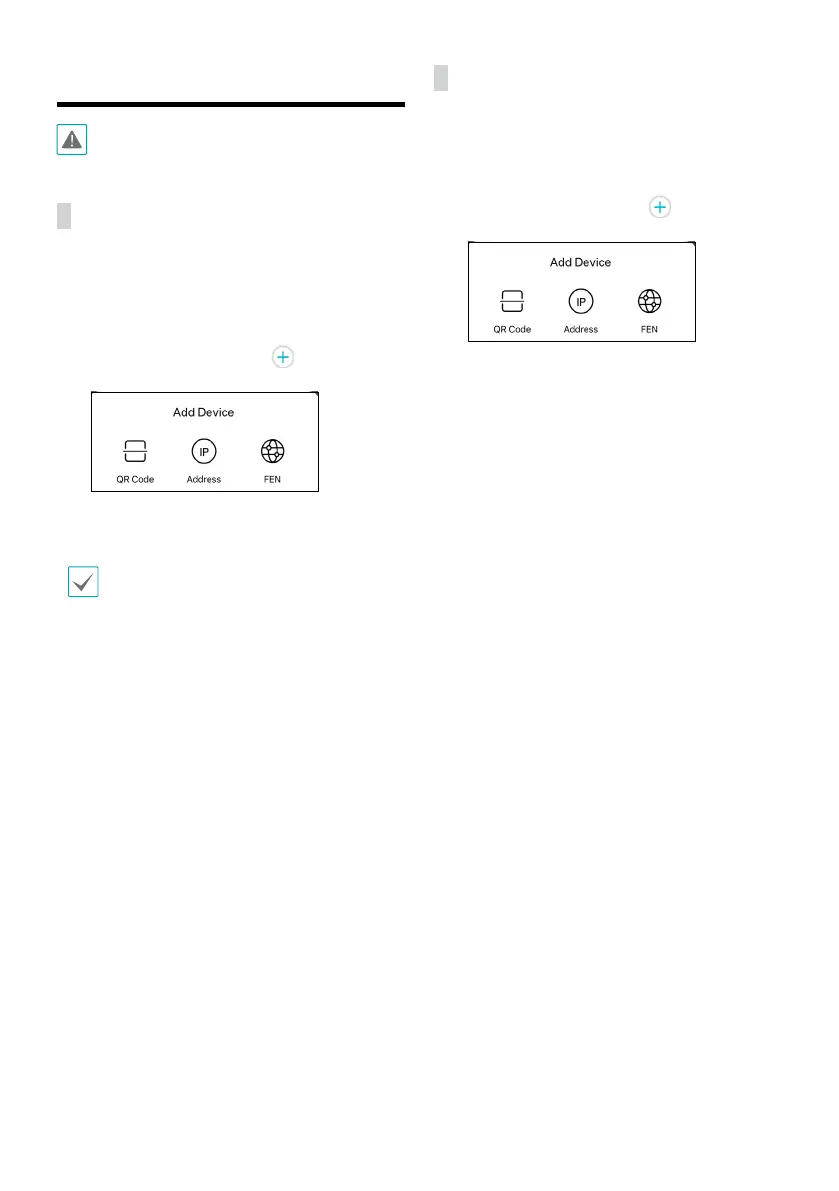
Register the device by pressing (Add Device)
button.
– QR Code: Register a device by scanning a QR code.
– Address: Register a device with an IP address.
– FEN: Register a device with a FEN name.
Refer to the IDIS Mobile Plus manual for more details about adding a device.
iOS device
1
Open the App Store on your device.
2
Enter IDIS Mobile Plus in the search led of the App
Store.
3
Install IDIS Mobile Plus program and open it.
4
Register the device by pressing (Add Device)
button.
– QR Code: Register a device by scanning a QR code.
– Address: Register a device with an IP address.
– FEN: Register a device with a FEN name.



 To Next Page