SP410 User Manual
9
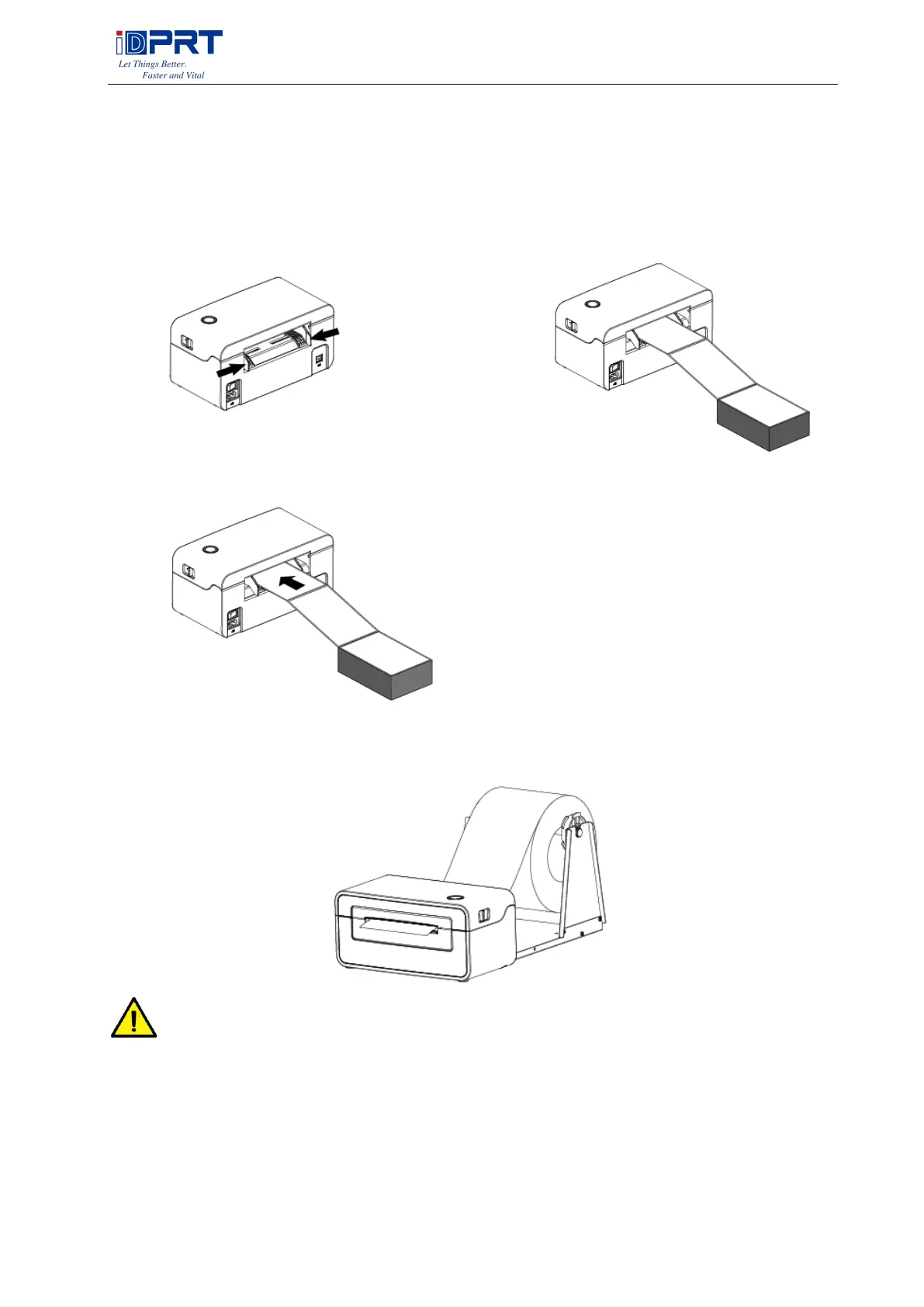
2.2 Fanfold Label Loading
■ Folding Paper Loading
1. Turn the power on, adjust the paper 2. Insert the paper into the entry slot.
guide to fit the width of paper.
3. The paper will be sucked into the paper
guide automatically.
■ Roll Type Label Loading
NOTE:
1) When the printer is power on, the paper will be sucked into the paper guide automatically.
2) The roll type label holder needs to be aligned with the hooks at the bottom of the printer.



 To Next Page