IDS GeoRadar s.r.l. MN/2017/011 Rev 1.0 16/ 38
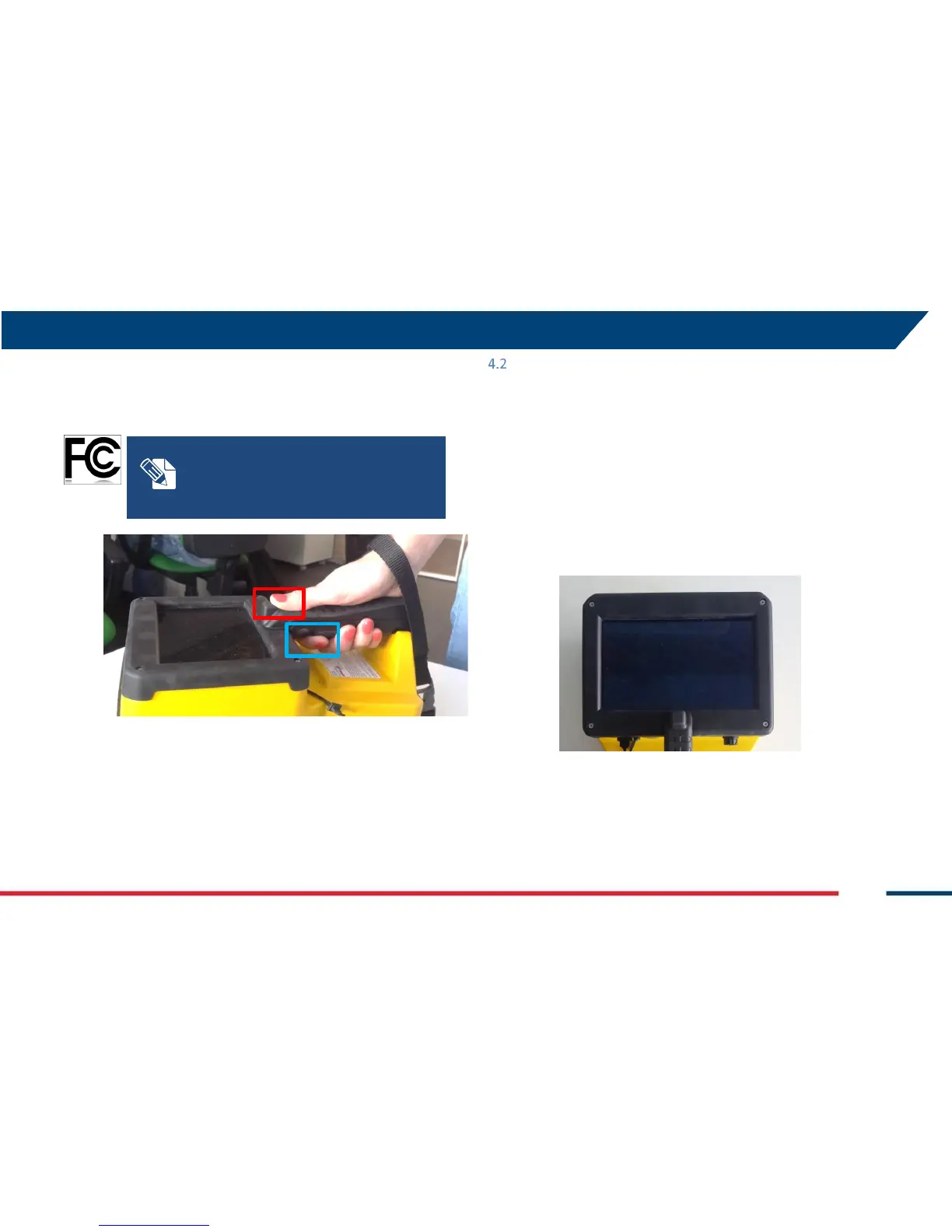
In the upper part of the handle there is a start/stop acquisition and marker
positioning button (Fig. 12, red square) easy to use with the thumb (Fig.
12).
Fig. 12 – Button for start/stop acquisition and marker positioning (red square) and the
additional button (blue square) for FCC regulations
Multi – touch Screen
The system is provided with an integrate OS (Fig. 13), with the software
already installed; the user can operate C-Thrue also with a Wi-Fi connected
laptop, whose minimum requirements are the following:
• Processor: i3 1.7 GHz
• RAM: 1 GB
• Graphic adapter compatible with Open GL 2 or
newer
• Operative system: Windows 7, 8 or 10
• Ethernet port
Fig. 13 – Multi touchscreen
For FCC rules and regulations, there is an
additional button under the handle (blue
square, Fig. 12. Hold this button during the
acquisition, release a the end of it. Hold the
button with the forefinger.


 To Next Page