2
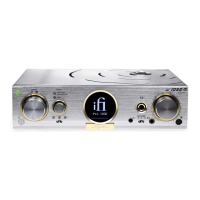
1. Brightness
2. Automatic Room Tailoring
(Hold: Switch ART / Audiophile modes)
3. OLED display
4. TrueBass
5. Tube
6. Mute
7. Power
8. Bluetooth
(Hold: Pairing)
9. WiFi
(Hold: WiFi Reset / WPS)
10. Coaxial input
11. Optical input
12. AUX
13. Volume
Note: Auto-Protection mode
When the Aurora is playing at an excessively high volume, it may enter 'Auto-Protection' mode (volume level will be automatically reduced) to avoid 'clipping' so that the driver
units and the amplier are not damaged. No harm to the equipment should ensue.
AUX
10
12
3
1 4
5
7 13
2
6
118
9
Auro ra



 To Next Page