Need help?
Do you have a question about the ifi iPurifier3 and is the answer not in the manual?
Connects to a computer or USB chain.
Signal input port for connecting to a DAC.
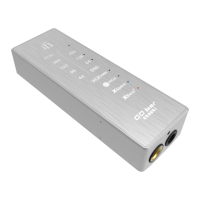
Two LEDs express power supply and sound signal status.
Highlights Active Noise Cancellation, REclock/REgenerate, REbalance, and USB Audio Class 2.0.
Details compatibility, connectors, dimensions, and weight.
Provides three steps for accessing the website and completing registration details.
Requires product registration via the iFi website to activate the warranty.
Covers defects in materials and workmanship for 1 year, with specific buyer responsibilities.
Details conditions that void the warranty, such as modification or improper storage.
Outlines repair procedures, warranty on repairs, and customer shipping responsibilities.
The iFi iPurifier3 is a compact, thumb-sized device designed to address a wide range of electrical, protocol, data, and EMI/RFI issues that can affect USB audio signals. Its primary function is to clean and optimize the USB signal, ensuring a purer and more accurate audio transmission to a Digital-to-Analog Converter (DAC).
The iPurifier3 acts as an inline USB signal conditioner, working to eliminate various forms of noise and distortion that can degrade audio quality. It incorporates several advanced technologies to achieve this.
One of its core features is Active Noise Cancellation® (ANC®), an enhanced military-grade circuit that actively cancels out noise present in the USB signal. This technology works by generating an identical but out-of-phase signal to the incoming noise, effectively neutralizing it. This results in a significantly cleaner power and data line, which is crucial for high-fidelity audio reproduction.
Another key technology is REclock®/REgenerate®. This function is responsible for re-clocking, re-generating, and repeating the USB signal. In essence, it takes the incoming, potentially degraded USB signal, strips away any timing errors (jitter), and rebuilds it with a precise, low-jitter clock. This process eliminates USB jitter, frame noise, and packet noise, which are common culprits for digital audio artifacts. By restoring the USB signal integrity, REclock®/REgenerate® ensures that the DAC receives a perfectly timed and accurate data stream, leading to improved soundstage, detail, and overall musicality.
The iPurifier3 also features REbalance®, which corrects USB signal balance and impedance mismatch. USB signals are differential, meaning they rely on the precise balance between two signal lines. Any imbalance can introduce noise and distortion. REbalance® ensures that these lines are perfectly balanced and that the impedance is correctly matched, further reducing noise and improving signal transmission efficiency. This attention to detail in signal integrity is vital for preserving the subtle nuances in audio.
The device is designed to be compatible with USB Audio Class 2.0, meaning it supports all standard audio formats transmitted over USB, ensuring broad compatibility with various audio setups.
The iPurifier3 is designed for straightforward integration into an existing USB audio chain. It features two main ports for connectivity:
USB 'B' Port (Output): This port is used to connect the iPurifier3 to a computer or a USB chain. This is where the cleaned and optimized signal exits the iPurifier3 to be fed into a DAC.
USB 'A' / 'B' Port (Input): This is the signal input port, designed for connecting to a DAC (Digital-to-Analog Converter). The USB cable from your source (e.g., computer) connects here, and the iPurifier3 processes the signal before passing it to the DAC.
The device also includes LED indicators that provide visual feedback on its operational status. One LED indicates the presence of Power Supply, confirming that the unit is receiving power and is active. The other LED indicates the presence of a Sound Signal, confirming that audio data is being processed through the device. These LEDs offer a quick and easy way to verify that the iPurifier3 is functioning correctly within your audio setup.
Its thumb-sized design makes it incredibly portable and easy to integrate without adding bulk to your audio system. It can be discreetly placed between your source and DAC, making it an unobtrusive yet powerful addition to any audiophile's setup.
The iPurifier3 is designed for minimal maintenance, primarily focusing on proper usage and care to ensure its longevity and performance.
While specific maintenance steps are not detailed in the provided information, general best practices for electronic devices apply:
The warranty information provided outlines the manufacturer's commitment to quality and offers a framework for support should issues arise. The 1-year warranty covers defects in materials and workmanship. To activate this warranty, users are required to register the product on the iFi website within 30 days of purchase. This registration process is a key "maintenance" step from a user's perspective, ensuring that they are eligible for support if needed.
The warranty also stipulates that the product must not have been modified in any manner, as this would void the warranty. This implies that users should not attempt to open or alter the device internally.
In summary, the iFi iPurifier3 is a sophisticated yet user-friendly device that significantly enhances USB audio quality by tackling various signal integrity issues. Its plug-and-play nature, combined with advanced noise reduction and signal regeneration technologies, makes it a valuable tool for anyone seeking to optimize their digital audio playback. Minimal maintenance, primarily focused on environmental protection and proper handling, ensures its long-term performance.
 General
| Type | USB audio purifier |
|---|---|
| Input Type | USB |
| Output Type | USB |
| Connectors | USB Type-A |
| Power Supply | USB powered |
| Compatibility | Windows, Android |


 To Next Page