9
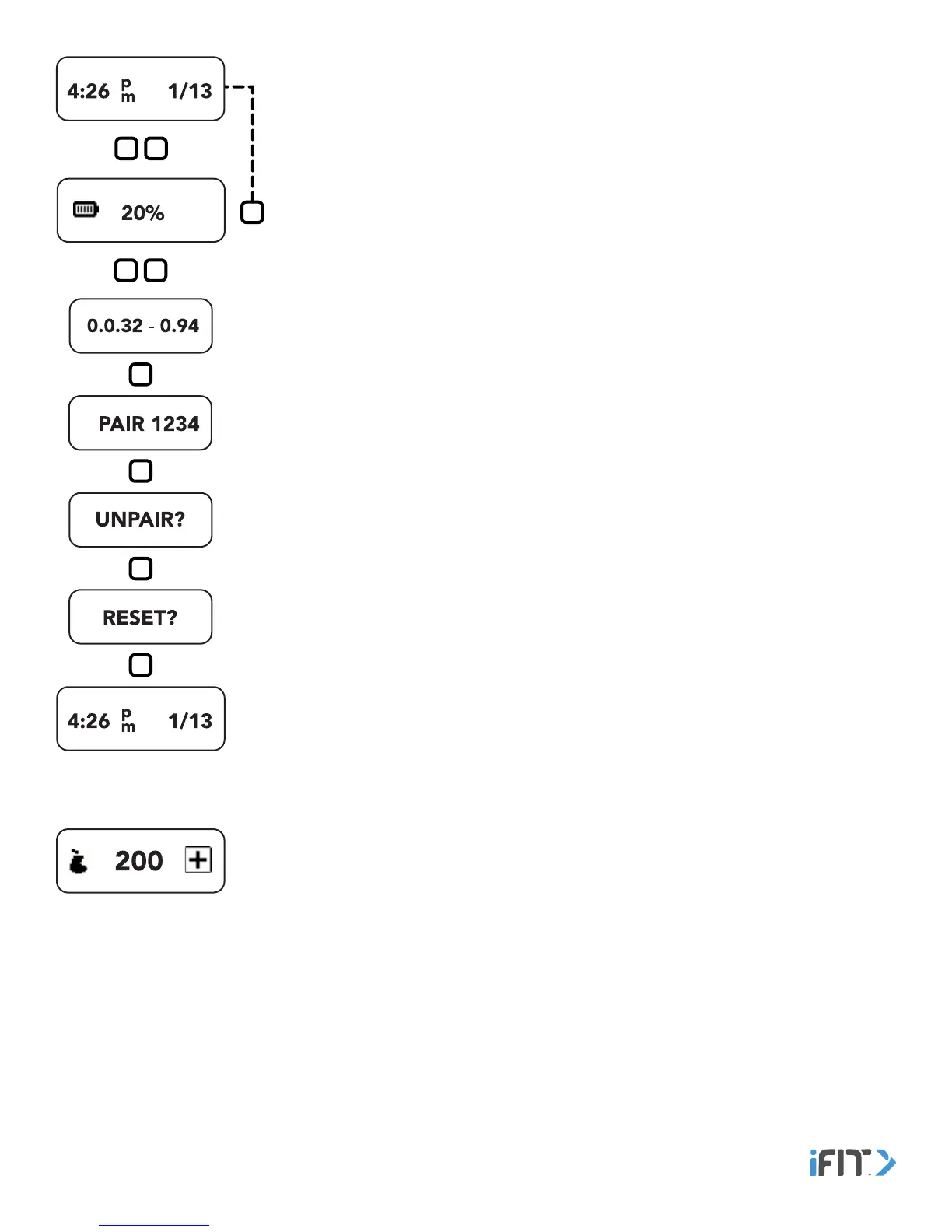
Time and Date—This screen displays the current time and date. Double tap the button to
view the battery level.
Battery Level—This screen displays the current battery level. Tap the button or wait for
several seconds to return to the Time and Date screen. Double tap the button to view the
Information and Settings screens.
Information and Settings—Tap the button repeatedly to view the version number of the
tracker pod, the pairing identification number, and the unpair and reset options. To unpair
or reset the tracker pod, see TROUBLESHOOTING AND STORAGE on page 19. Tap the
button again to return to the Time and Date screen.
Calories In—This screen displays the approximate number of calories you have eaten. To enter
calories, see ENTER CALORIES on page 13.


 To Next Page