12
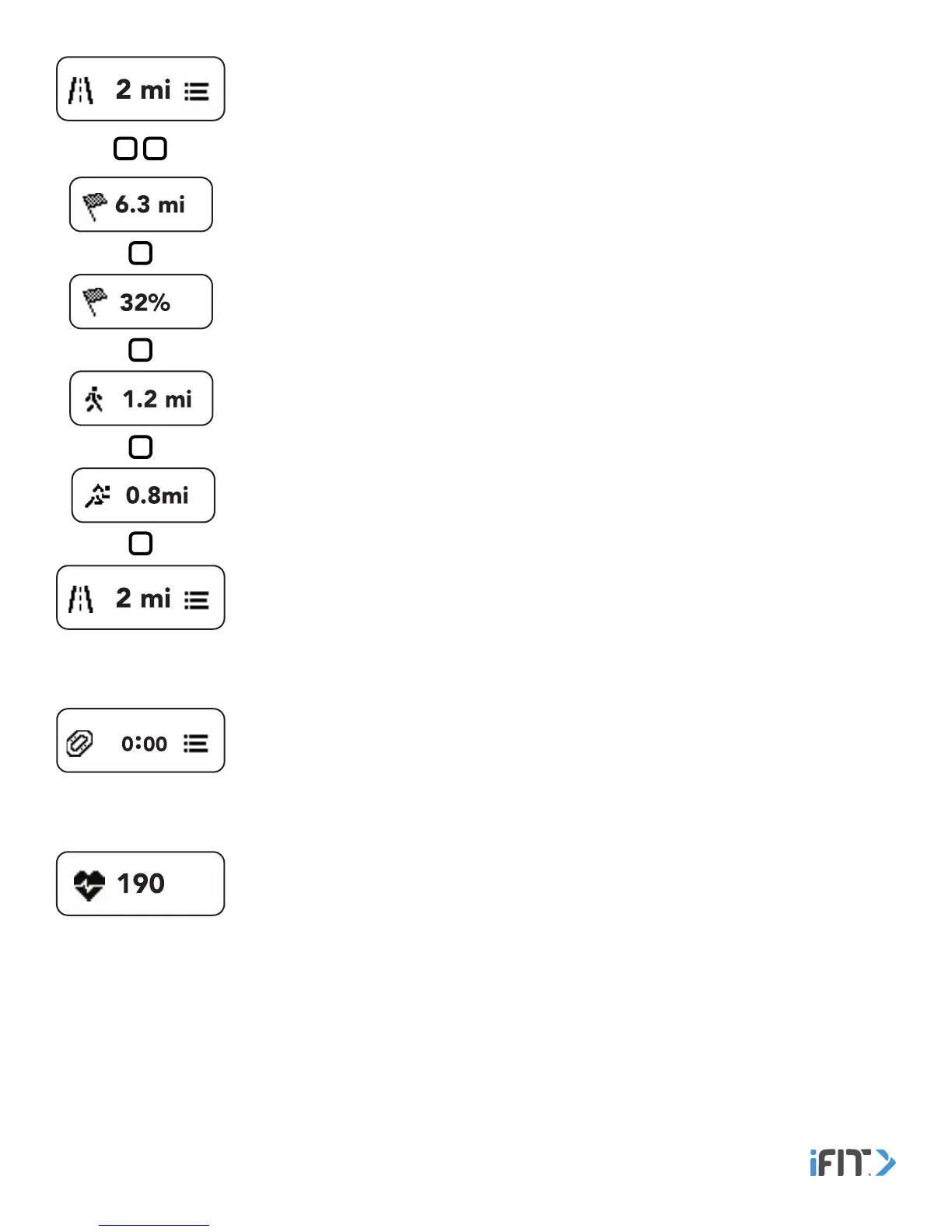
Distance—This screen displays the distance you have moved in miles or kilometers. Double tap
the button to view your distance goal status, your distance goal percentage, the distance you
have walked, and the distance you have run. The screen will advance automatically every few
seconds; tap the button repeatedly to view the screens more quickly.
Note: You can change the unit of measurement in the iFit Coach app. In the iFit Coach app,
select the main menu screen, touch the gear icon, touch Account Settings, touch Unit of
Measurement, and then select standard or metric as the unit of measurement.
Heart Rate—This screen displays your heart rate when you wear a compatible heart rate
monitor. See MEASURE YOUR HEART RATE on page 15.
Workout—This screen displays the time elapsed during a workout. To start a workout, see
START AND END A WORKOUT MANUALLY on page 14.


 To Next Page