22
Store the Tracker Pod
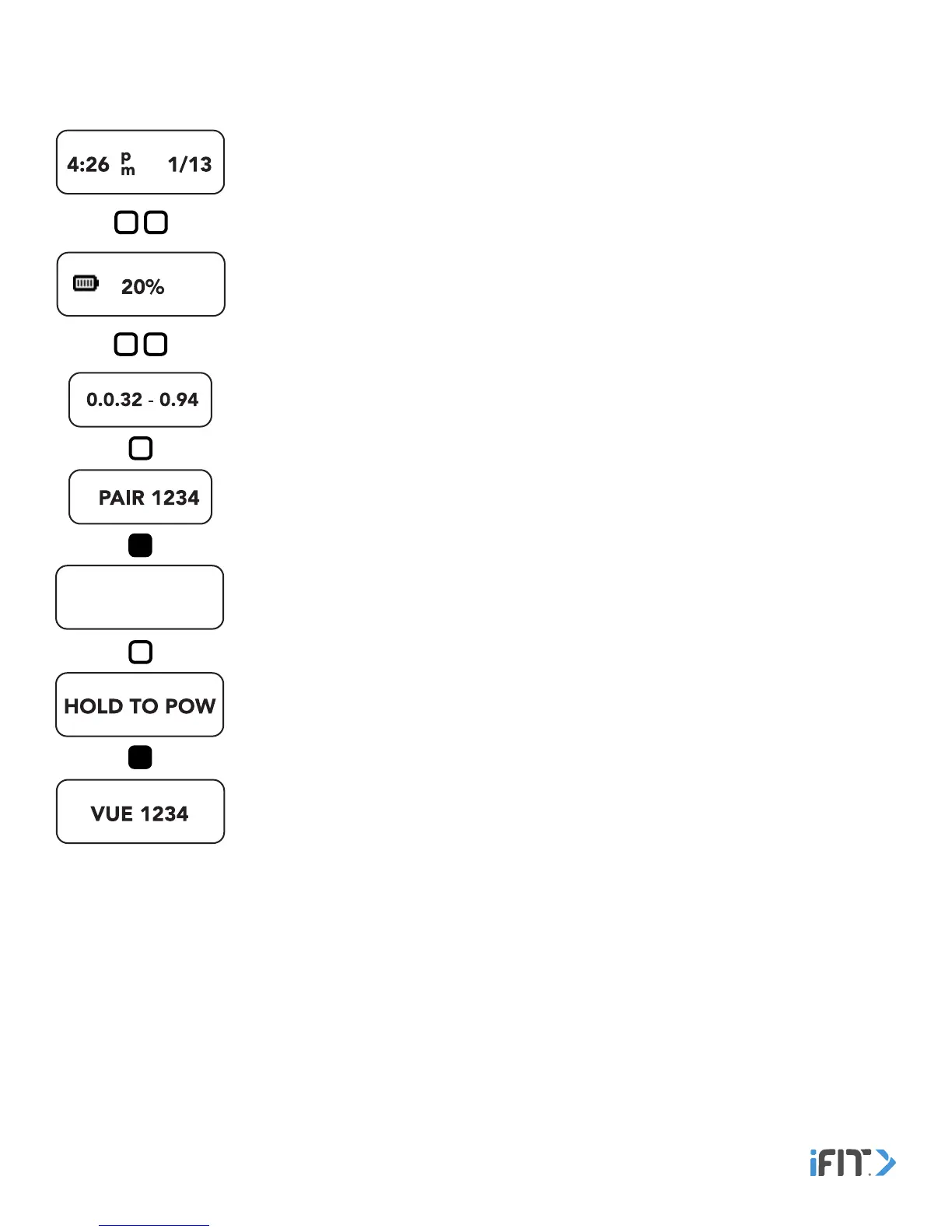
To deactivate the tracker pod and enter it into the shipment mode for long-term storage, follow the steps below.
1. Navigate to the Time and Date screen and double tap the button. The Battery Level screen
will appear. Then, double tap the button again. The Settings screens will appear.
2. Tap the button repeatedly until the pairing identification number screen appears.
3. From the pairing identification number screen, hold the button for 10 seconds to deactivate
the tracker pod and enter the shipment mode.
To activate the tracker pod and exit the shipment mode, tap the button on the tracker pod
once. An instructional message will appear on the screen. Hold the button for 5 seconds until
the tracker pod activates. Then, sync the tracker pod to your device. See PAIR, SET UP, AND
SYNC THE TRACKER Pod on page 4.


 To Next Page