Mode/Enter Set
cm
1
inch
%
2
OUT2
7
OUT1
83 4 5 6
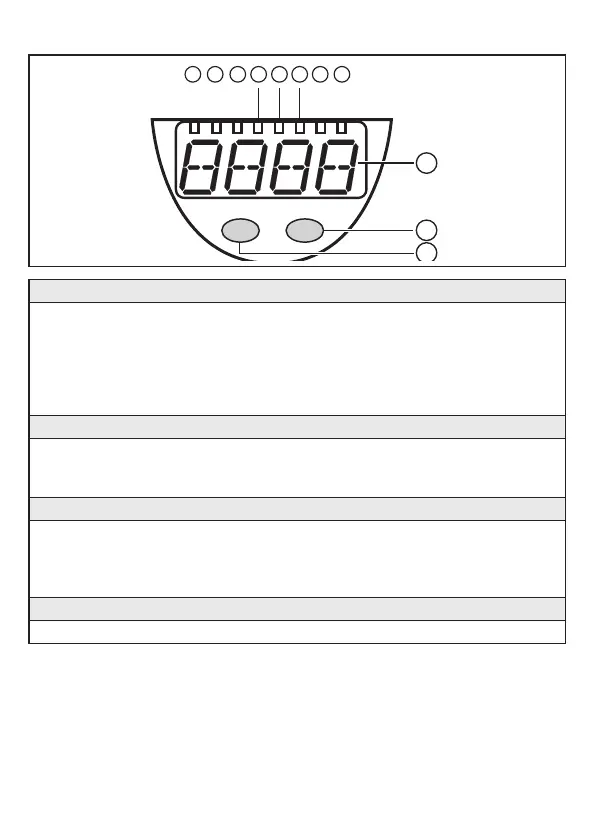
1 to 8: Indicator LEDs
- LED 1: green = indication of the level in cm�
- LED 2: green = indication of the level in inch�
- LED 3: green = indication of the level in % of the final value of the measuring range�
- LED 4 - LED 6: not used�
- LED 7: yellow = output 2 is switched�
- LED 8: yellow = output 1 is switched�
9: Alphanumeric display, 4 digits
- Indication of the current level�
- Operation and fault indication�
- Indication of the parameters and parameter values
10: Set button
- Setting of the parameter values (continuously by keeping the button pressed;
incrementally by pressing the button once)�
- Change between cm/inch indication and percent indication in the normal operating mode
(Run mode)�
11: Mode/Enter button
- Selection of the parameters and acknowledgement of the parameter values�


 To Next Page