SL-014 v1.6 Page17
Document Ref: SL-014 v1.6
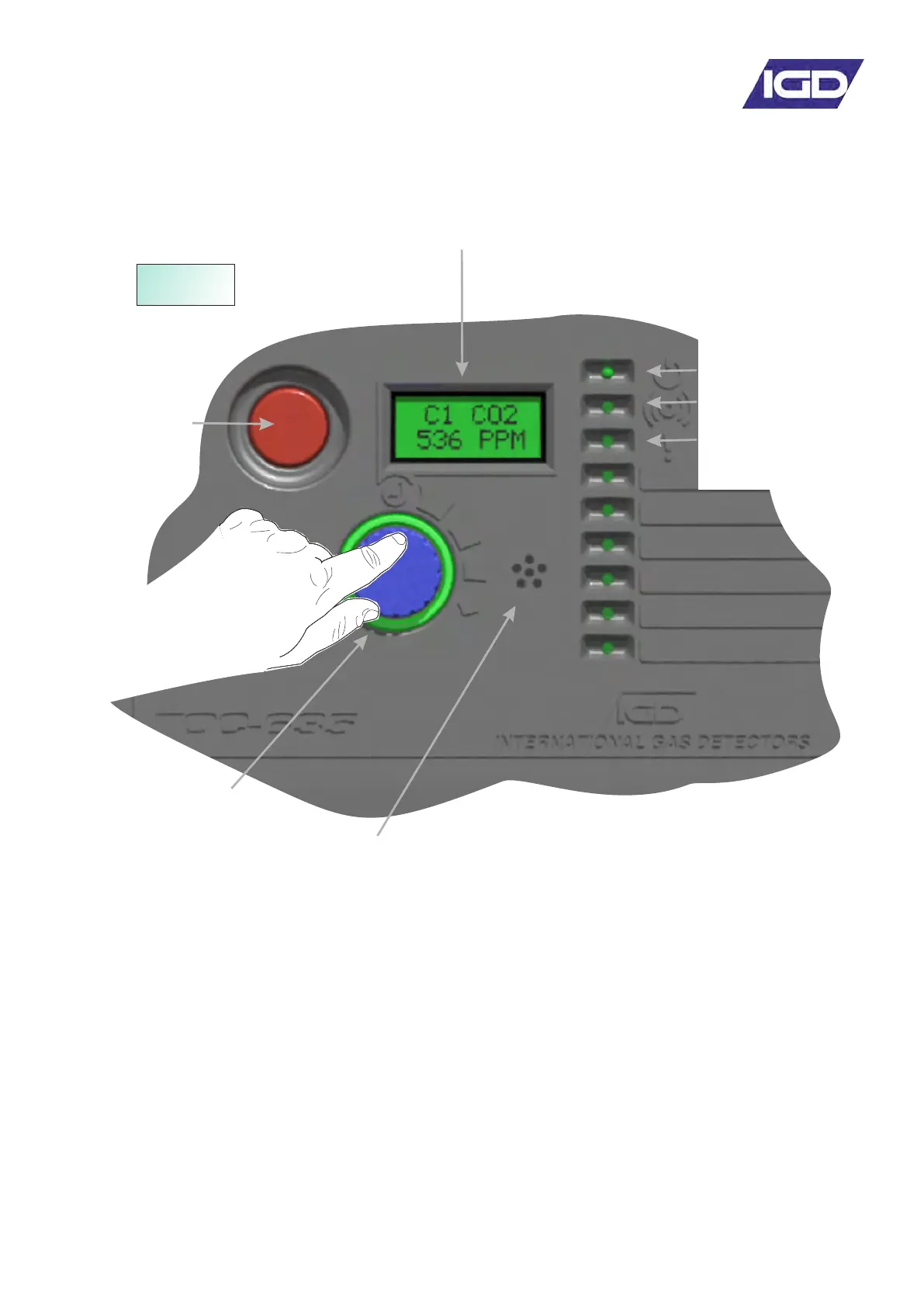
Controller Interface Overview
Colour Backlit LCD Display
Flashes Red on alarm
Flashes Yellow on Fault Detection
Blue during menu operation
.
Internal Sounder 85dB
Sounds on alarm 1 2 or 3 activation
and can be muted
Selector Button
Menu Jog Wheel and
Status Light Ring
WARMUP
600s
• Initial power up sequence is:
o Indicate board tested status (end
user should see “PASSED” with a
green backlight)
o Display then shows Software
version, Checksum and date,
Display version, display
checksum and date, connected
sensor info
o Countdown
Typical display during warm up
Emergency
Alarm - Stop
Alarm Indicator LED (Red)
Flashes on Alarm
Fault Detected
Indicator LED (Yellow)
Power LED (Green)


 To Next Page