16
Operating System
On powering of the system, there is an initial count down to allow detectors time to
stabilise. This period can be configured in the engineers menu options to suit particular
applications. During this warm up period all alarms are inactive.
After the countdown period the system goes into normal monitoring operation.
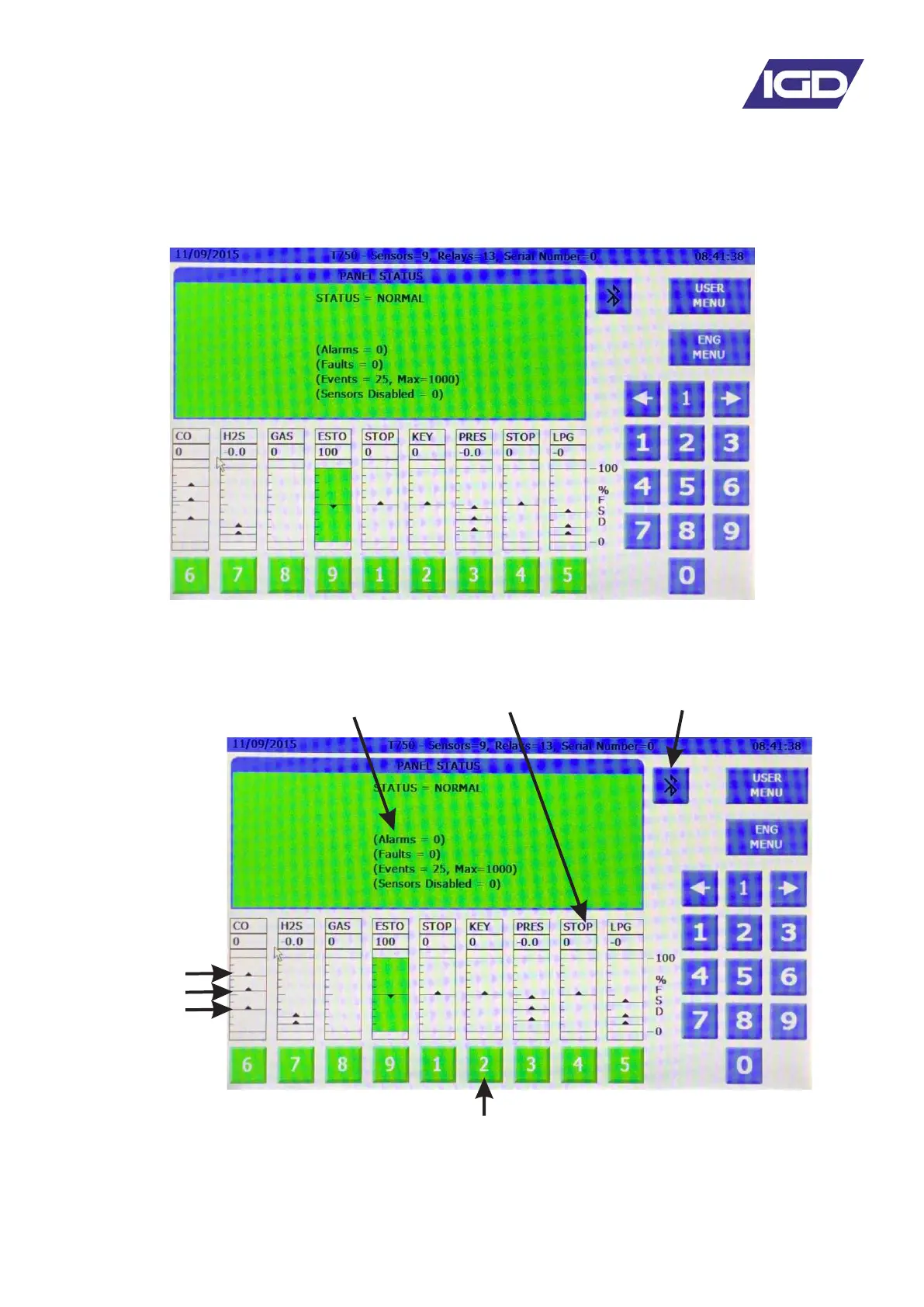
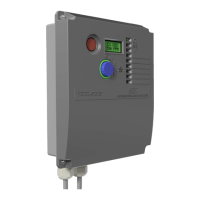
Click on a displayed channel number to make it the
currently viewed channel or type in the channel
number of interest. Note that the display centres on
the selected channel and displays its current status
Alarm 1 Level
Alarm 2 Level
Alarm 3 Level
Sensor TAG, alarm levels
and status displayed
Bluetooth Enable/Disable
Gas Detector Type
Digital and Analogue
Readings
In General:
Green = Normal
Red = Alarm
Yellow = Fault
Black = Disabled


 To Next Page