11
OPERATING INSTRUCTIONS
Clock Setting
When the microwave oven is turned on, the oven will display “00:00”, the appliance will beep once.
1) Press “CLOCK/KITCHEN TIMER” once, the hour digits on the clock display will ash.
2) Turn the dial to adjust the hour digits, the input time should be within 0-23 (24-hour)
3) Press “CLOCK/KITCHEN TIMER” again to set the hours and then the minute digits on the clock
display will ash.
4) Turn the dial to adjust the minute digits, the input time should be within 0-59.
5) Press “CLOCK/KITCHEN TIMER ” again to set the minutes. Clock time is now set.
Note: (a) During the process of setting the clock, if you press “STOP/CLEAR” the microwave oven
will go back to the previous status automatically.
(b) If incorrect time set, repeat steps 1-5 to set the correct time.
If 24 hour clock needs to be checked whilst appliance is in use, press “CLOCK/KITCHEN TIMER” and
it will be displayed for 2-3 seconds.
Kitchen Timer
1) Press “CLOCK/KITCHEN TIMER” twice, LED will display 00:00
2) Turn the dial to enter the countdown timer, maximum is 95 minutes
3) Press “START/+30SEC./CONFIRM” to conrm the time selector
4) When the timer is nished, the appliance will beep 5 times and the display will then revert back to the
24 hour clock
Note: This is a kitchen timer ONLY. It does not use any cooking functions.
Microwave Cooking
1) You can press the “MICROWAVE” button to select the power required (press up to 4 times) or you
can turn the dial to choose power required: “P100”, “P80”, “P50”, “P30” or “P10” will display. Select by
pressing “START/+30SEC./CONFIRM” button.
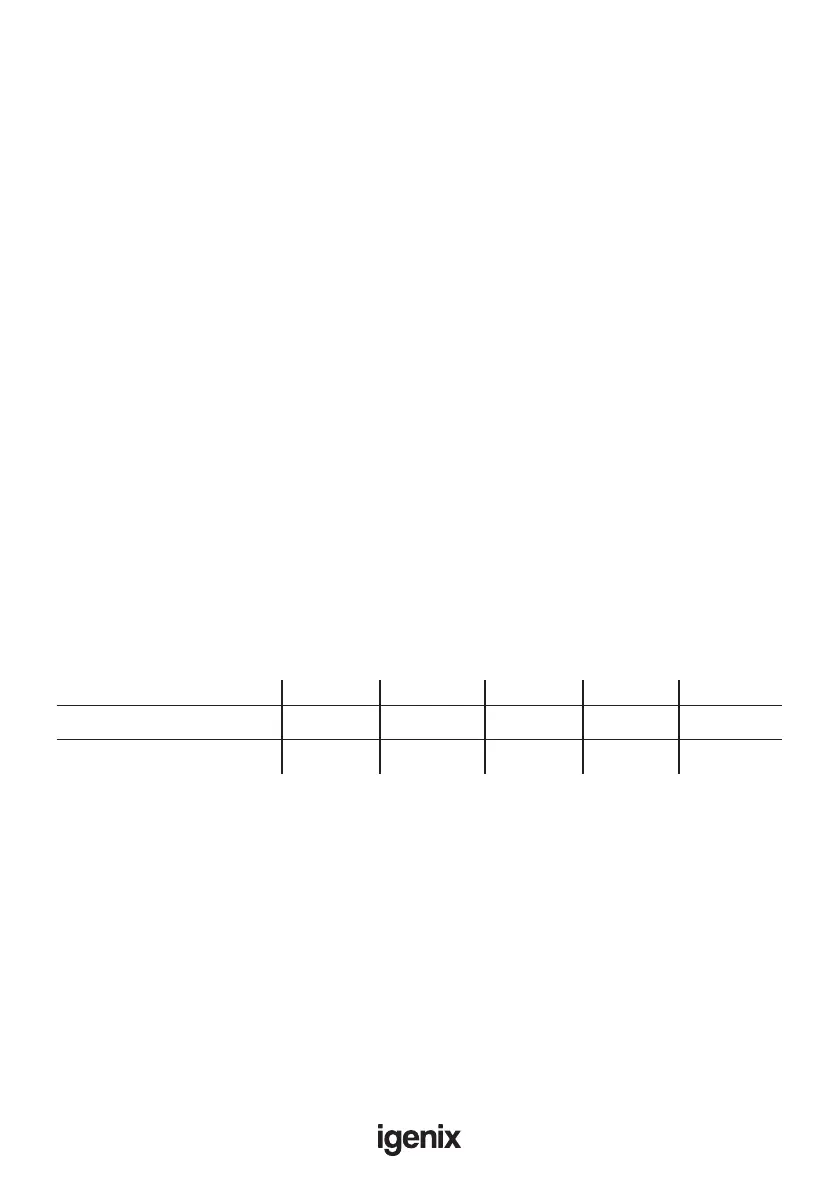
Press Once Twice 3 Times 4 Times 5 Times
Microwave Power 100% (P100) 80% (P80) 50% (P50) 30% (P30) 10% (P10)
High Med/High Medium Med/Low Low
Microwave Power Chart
2) Turn the dial to set cooking time from 0:05 to 95:00.
3) Press “START/+30SEC./CONFIRM” button again to start cooking.
Note: To check the Power whist in cooking mode press “MICROWAVE” button, then the current
power will be displayed for 2-3 seconds.
Example: If you want to use 80% microwave power to cook for 20 minutes, you can operate the
oven as follows.
Press “MICROWAVE” button once, the screen will ash “P100”.
Press “MICROWAVE” button again or turn dial to choose 80% microwave power.
Press “START/+30SEC./CONFIRM” button to conrm and the screen displays “P80”.
Turn the dial to adjust the cooking time until the oven displays “20:00”.
Press “START/+30SEC./CONFIRM” button to start cooking.


 To Next Page