Need help?
Do you have a question about the iGenix IG2590 and is the answer not in the manual?
Key safety guidelines for operating the appliance to prevent hazards.
List of items provided with the microwave oven, including turntable and grill rack.
Steps and important notes for correctly installing the glass turntable and ring.
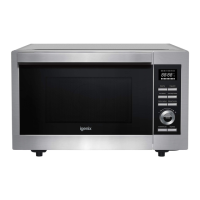
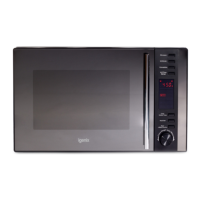
The Igenix 25L Black Combination Microwave, model IG2590, is a versatile kitchen appliance designed for a range of cooking methods, including microwave, grill, and convection. This combination functionality allows users to prepare a wide variety of dishes, from quick reheating to more elaborate baking and grilling. The appliance features a sleek black exterior with a modern, fully illuminated LED control panel, making it an attractive and functional addition to any kitchen.
The microwave offers multiple cooking modes to cater to different culinary needs. The primary Microwave cooking function allows for rapid heating and cooking of food. Users can select from various power levels, ranging from 10% (P10) to 100% (P100), providing precise control over the cooking intensity. The power levels can be adjusted by repeatedly pressing the "MICROWAVE" button or by turning the dial, with options like P100, P80, P50, P30, and P10 displayed on the screen. Cooking times can be set from 5 seconds up to 95 minutes using the dial.
For browning and crisping food, the Grill/Combi cooking function is available. This mode can be used independently as a grill (G-1) or in combination with microwave power (C-1, C-2, C-3, C-4) to achieve faster cooking with a browned finish. The combination settings offer different ratios of microwave and grill power, allowing for flexibility depending on the dish. For instance, C-1 combines microwave and grill, C-2 combines microwave and convection, C-3 combines grill and convection, and C-4 combines all three: microwave, grill, and convection. When using the grill function, the appliance will beep halfway through the cooking time to remind the user to turn the food for even grilling.
The Convection cooking function transforms the microwave into a traditional oven, ideal for baking and roasting. This mode allows for preheating to a desired temperature, typically starting at 150°C, which can be adjusted by pressing the "CONVECTION" button or turning the dial. Once the desired temperature is set and confirmed, the oven will preheat. After reaching the set temperature, the appliance will beep twice, signaling that food can be placed inside. Cooking time can then be set for up to 95 minutes. There is also an option for convection cooking without preheating, where the temperature is set, and cooking begins immediately.
The microwave also includes two Defrost functions: Defrost by Weight (d-1) and Defrost by Time (d-2). Defrost by Weight allows users to input the weight of the food (from 100g to 2000g), and the appliance automatically calculates the defrosting time. Defrost by Time enables manual setting of the defrosting duration, up to 95 minutes.
For quick and convenient cooking, the Quick Start Cooking feature allows for immediate cooking at 100% microwave power for 30-second intervals with each press of the "START/+30SEC./CONFIRM" button. Alternatively, in standby mode, users can turn the dial to select a cooking time and then press "START/+30SEC./CONFIRM" to begin cooking at full microwave power.
The Multi Stage Cooking feature is a sophisticated function that allows users to program up to two consecutive cooking sequences. This is particularly useful for dishes that require defrosting followed by cooking. For example, food can be defrosted for a set time, and then automatically switch to microwave cooking at a specified power level for another duration. The appliance provides beeps to indicate the end of each stage.
An Auto Menu function simplifies cooking for common food items. By turning the dial in standby mode, users can select from pre-programmed options (A1-A10) for items like pizza, potato, meat, fish, vegetables, beverage, pasta, popcorn, cake, and chicken. After selecting the menu option, the user inputs the weight or number of servings, and the microwave automatically sets the appropriate cooking time and power level. For certain items like "A9 Cake," the oven requires preheating before the food is placed inside, with the appliance beeping to prompt the user. For "A6 Beverage," users select the number of cups (1-3) instead of weight.
The control panel is user-friendly, featuring dedicated buttons for "Microwave," "Grill/Combi," "Convection," and "W.T./Time Defrost," along with a central dial for adjusting settings. The "Clock/Kitchen Timer" button serves a dual purpose: setting the 24-hour clock and activating a standalone kitchen timer (up to 95 minutes) that does not engage any cooking functions. The "Stop/Clear" button allows users to pause or cancel cooking, while the "Start/+30Sec./Confirm" button initiates cooking, adds 30 seconds to the cooking time, or confirms selections.
A Child Lock feature enhances safety by preventing accidental operation. To activate, users press "STOP/CLEAR" for 3 seconds in standby mode, and a symbol will appear on the display. To deactivate, the same button is pressed for 3 seconds.
The appliance includes a glass turntable and a turntable ring, which must always be used during microwave operation to ensure even cooking. A grill rack is provided for use during grilling functions, and it is important to use suitable heatproof ceramic cookware when combi cooking.
Regular cleaning is essential for maintaining the microwave's performance and longevity. The manual provides clear instructions for cleaning the appliance. The interior cavity should be wiped with a slightly damp cloth. The turntable and accessories can be washed in warm soapy water. The door frame, door seal, and surrounding parts require careful cleaning with a damp cloth. It is crucial to avoid harsh abrasive cleaners or sharp metal scrapers on the door surface to prevent scratches and potential shattering of the glass.
A helpful Cleaning Tip suggests placing half a lemon in a bowl with 300ml (1/2 pint) of water and heating it on 100% microwave power for 10 minutes. This helps loosen food deposits, making them easier to wipe clean with a soft, dry cloth.
The manual also includes a Troubleshooting guide to assist users with common issues. For example, if the microwave does not start, it advises checking if the power cord is plugged in tightly, if the fuse is blown, or if there is an issue with the power socket. If the oven does not heat, it suggests ensuring the door is closed properly. If the glass turntable makes noise, it recommends cleaning the roller rest and oven bottom.
For safety, the appliance is designed to be earthed, and instructions for Mains Plug Fuse Replacement are provided, detailing how to replace a blown fuse with a new one of the same amperage.
Overall, the Igenix 25L Black Combination Microwave is a comprehensive and user-friendly appliance, offering a wide array of cooking options and practical features for everyday use, complemented by straightforward maintenance guidelines.
 General
| Type | Countertop |
|---|---|
| Turntable | Yes |
| Cooking Levels | 5 |
| Defrost Function | Yes |
| Color | White |
| Power Output | 900 Watts |

 To Next Page