17 18
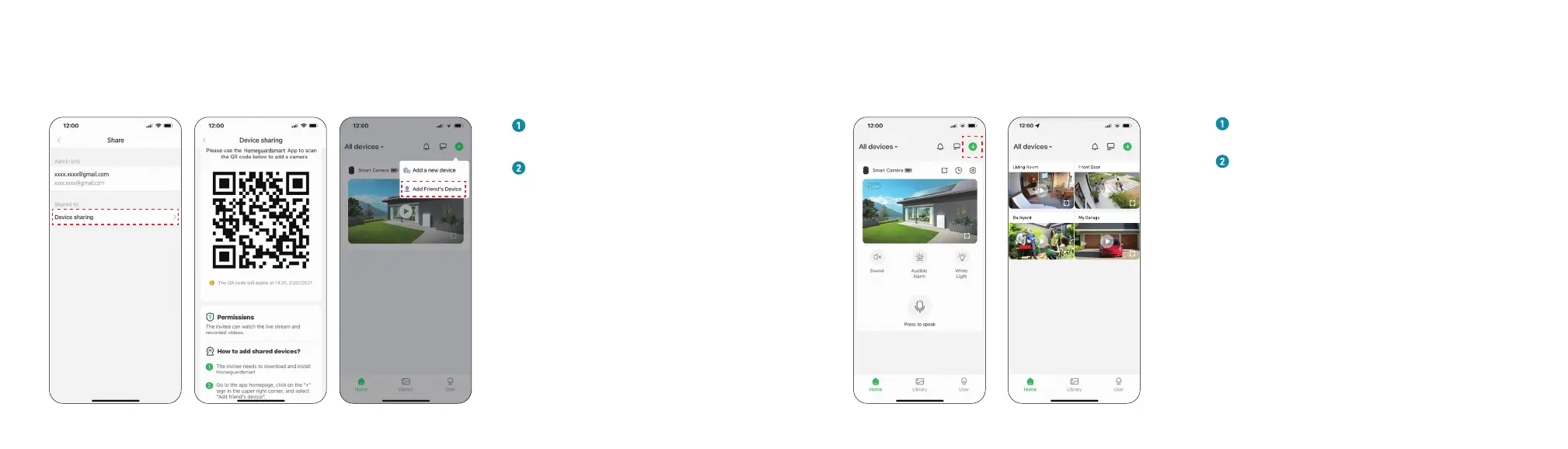
Share Camera
Click "Device sharing", and a QR code
will be generated for sharing.
Enters the 'Home' page and click 'Add
Friend’s Camera', then scan QR code.
After you accepts sharing,sharing
is complete!
Multi-Device Management
Click ' + ' to add more devices
Split screen setting can watch live broadcast
from multiple cameras at the same time
* Strong Wi-Fi Connection View Multiple Cameras at the Same time


 To Next Page