Ice Cream/ Gelato Cases| www.igloorefrigeration.com
After installation of the equipment at the destination location it should be left to rest
for at least 2 hours before turning it on (for devices with built-in compressor) to set
the level of refrigerant in order to prevent problems with the start up.
WARNING: Keep the cooling circuit away from damage!
• Turn on the main switch. (Figure 6/2)
• The temperature on thermostat control panel PRE SET. (Figure 6/1)
• Turn on the light switch. (Figure 6/3)
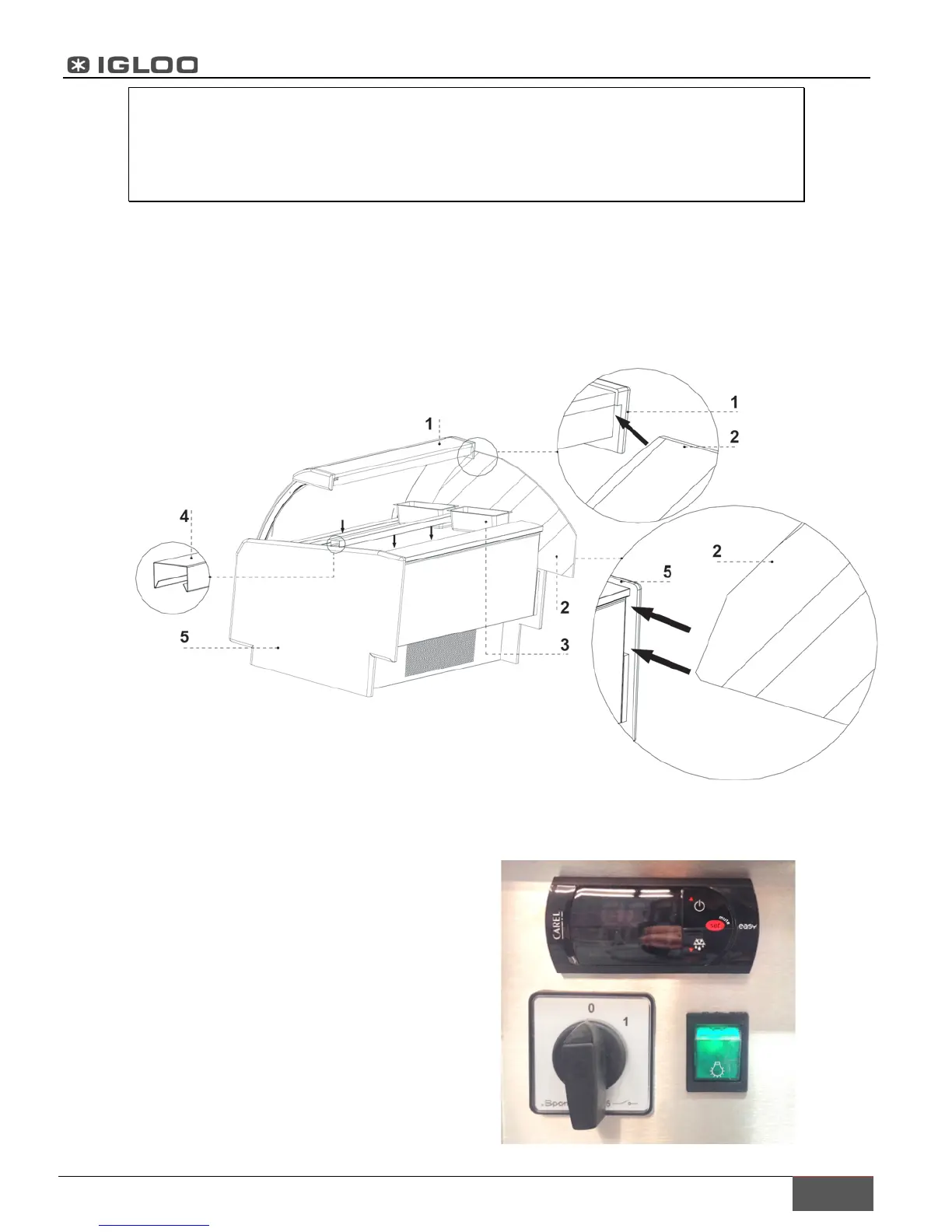
5 Install internal elements
– Top shelf
– Side glass
– Container
– Cross-bar under containers
– Wooden side
6 Control panel
– Thermostat (temperature regulator)
panel (Service details in Chapter 4)
– Main switch (turns on/off the unit)
– Light switch



 To Next Page