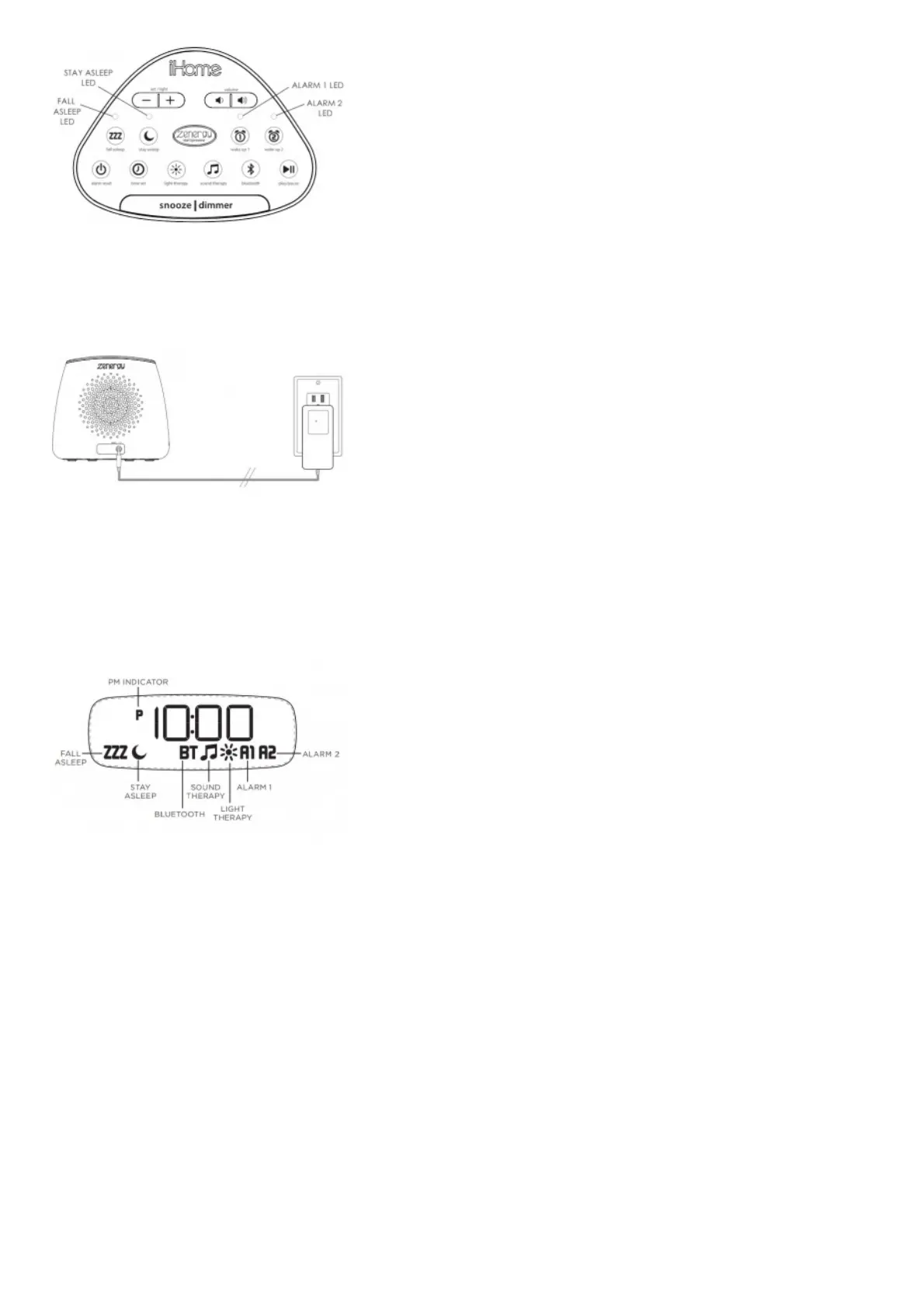
Press the Snooze/Dimmer button to adjust the brightness of the clock display. Cycle through settings: Max, Mid, Low,
Min, Button (display o /buttons backlit), and Auto (display/buttons backlit for 15 seconds).
BACK PANEL
Plug the included AC adapter into the DC jack and connect the plug to a working outlet not controlled by a light
switch.
FEATURES & FUNCTIONS
CLOCK DISPLAY
BOTTOM PANEL



 To Next Page