their speaker devices ON throughout the night (in iPod mode
for system with multiple mode settings). For iHome App-
enhanced systems, alarms will sound no matter what mode
the speaker system is in.
5. My iHome+Sleep app software alarm did not sound
at the specied time
A. Make sure that the volume of the iPhone or iPod touch is
not set at 0 and verify your wake-to volume settings.
B. The iPhone OS does not currently support 3rd party
applications running if the app is closed, which means that
alarms won't work if you exit the app. This is why we suggest
customers use our App-enhanced Speaker Systems to make
sure you always have a back-up alarm. If the app exits, simply
relaunch the app and your alarms will automatically pick up
where they left off.
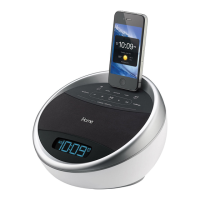
C. If you dock your iPod or iPhone into a speaker dock
overnight, the speaker dock must be powered ON to hear
your alarms in the morning. Because of Apple requirements
for devices that both charge and play audio, the iPhone and
iPod touch's built-in speakers are deactivated and your alarm
will not to sound if you do not leave the power ON. This is
another reason why we suggest customers use our App-
enhanced Speaker Systems to make sure you don't have to
remember to leave the power on before going to bed.
6. What happens if I exit the app?



 To Next Page