Software Alarms
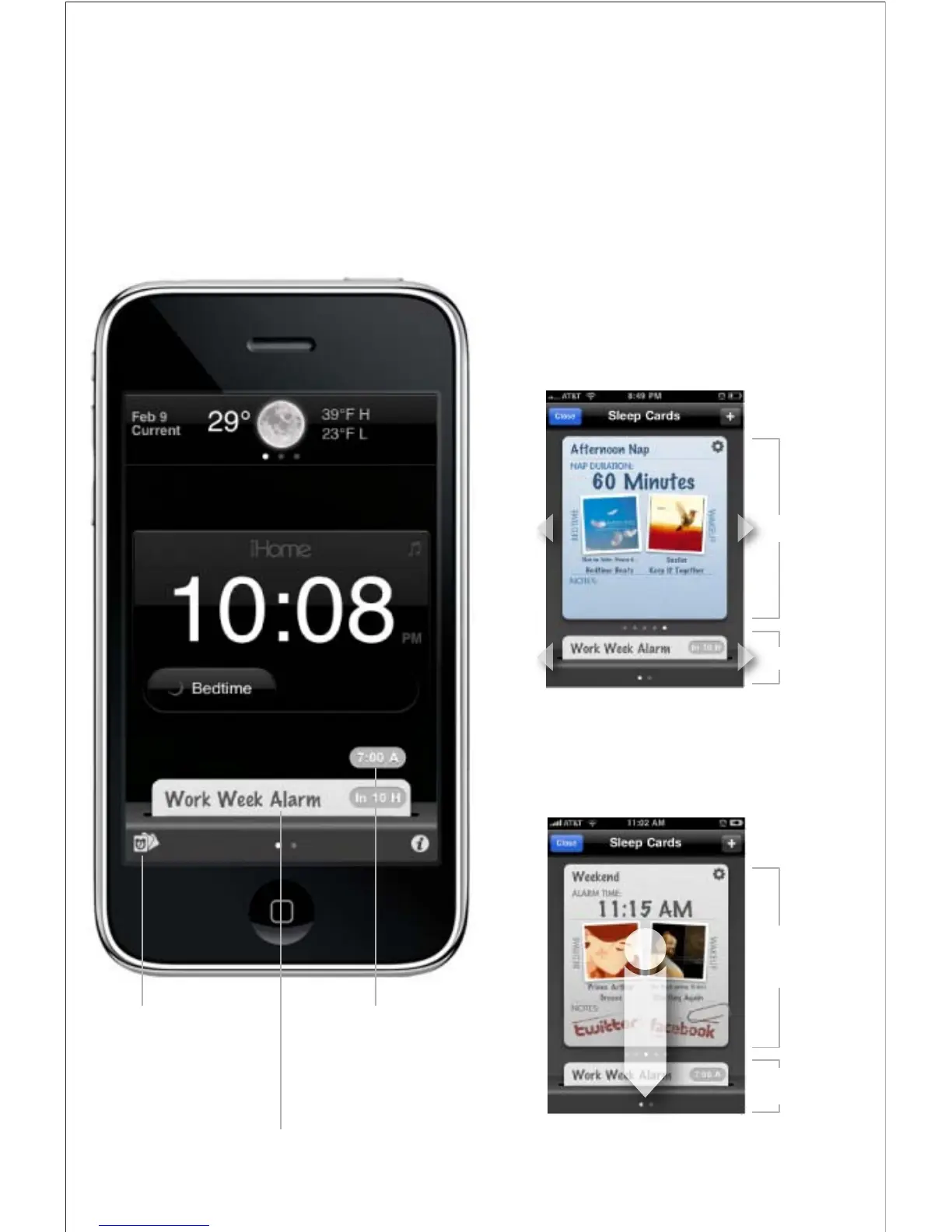
iHome+Sleep also has software alarms that work independently
of hardware alarms, oering more interactive settings and
features for you to enjoy
• slide left & right to view alarm settings
• create multiple alarm and nap cards
Create Alarm and Nap Cards
• all active alarms are indicated at the bottom of
the home screen
• press & slide an alarm card downwards to active
Slide to Activate Alarms
Press to access your
sleep cards for alarms
and naps
Press to deactivate
an alarm and view
alarm settings
Press to toggle between
alarm countdown & preview
Inactive Alarms
Active Alarms
Press & Slide
to Activate an
alarm card
Tap Active Alarm
to Deactivate



 To Next Page