Managing Sleep Cards
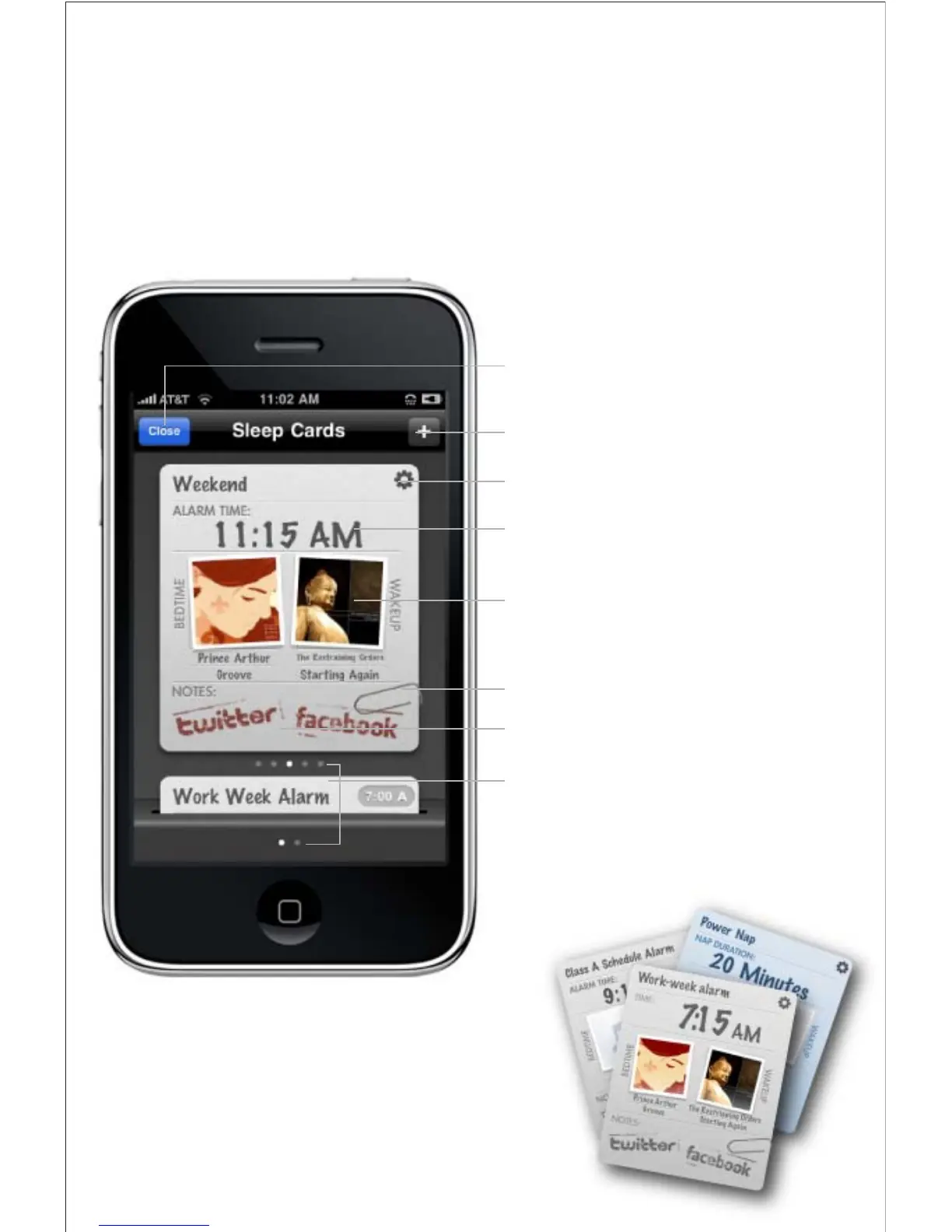
Sleep Cards is a fresh new way to manage and set your personal
bedtime and wakeup settings
Press to return to ‘home screen’
Press to create a new alarm or nap card
Press to access alarm settings
Alarm time
Indicates ‘Bedtime and Wakeup Sounds’
Paper clip indicates that a ‘Reminder’ has been set
Facebook & Twitter icons indicate active Social Media
Messaging for your bedtime and wakeup events
Indicates number of inactive sleep cards in the deck
and how many active alarms are set



 To Next Page