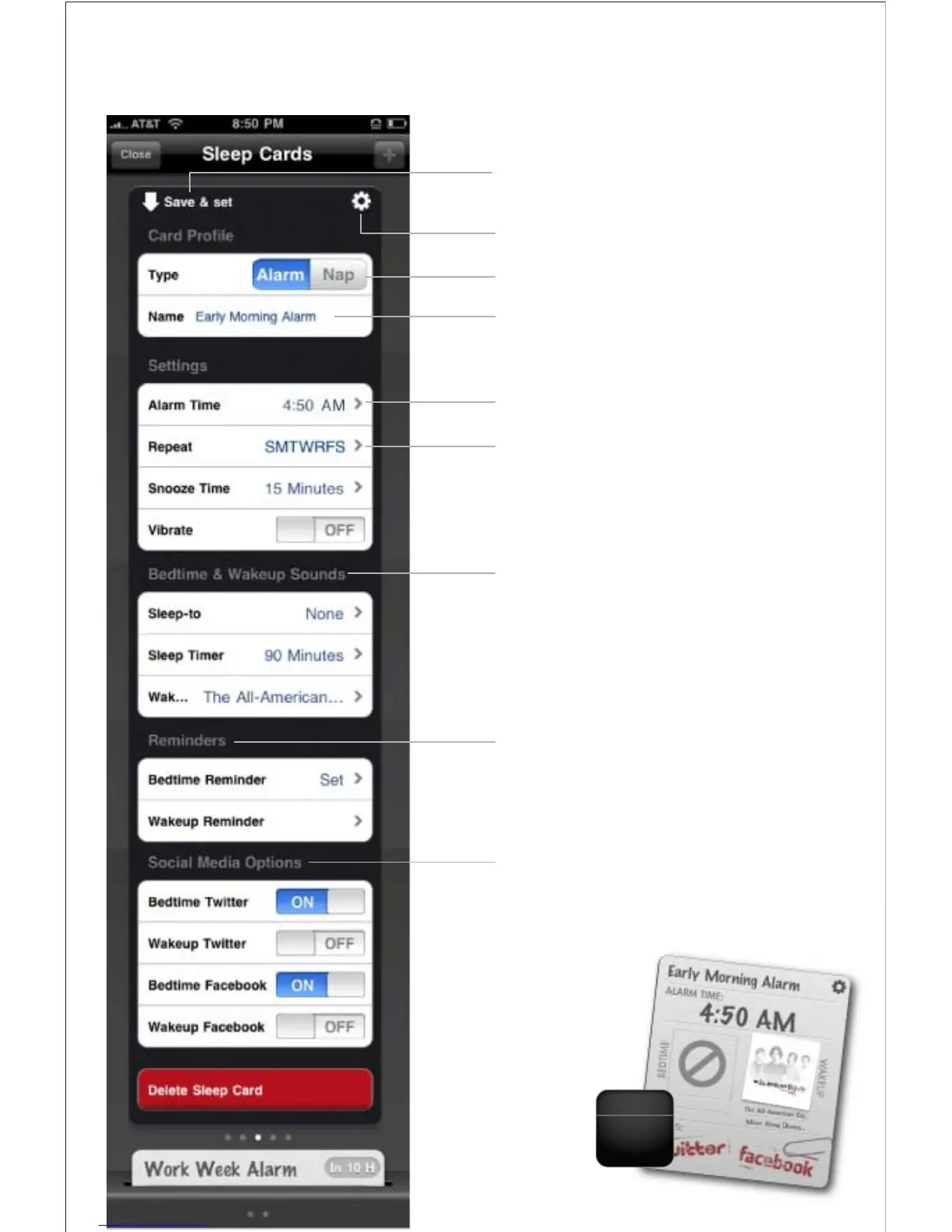
Press to save your alarm settings and automatically
‘set’ or activate your alarm card
Press to return to Sleep Card ‘Deck’ Manager
Select the type of card: Alarm or Nap
Edit and name your card
Set the time
Select which day of the week you want the alarm
to sound: (
Never, Everyday, Weekday, Weekend or Custom)
Select what alarm tone, music, or playlist you want
to sleep or wake-to
Set and create ‘Reminders’ and notes to help you
remember things before you go to bed or when
you wake up
Activate Twitter and Facebook messaging for when
you go to bed and wakeup
(requires you to login your account information)
SMTWTFS
Monday
15
Alarm Settings



 To Next Page