Quick Start
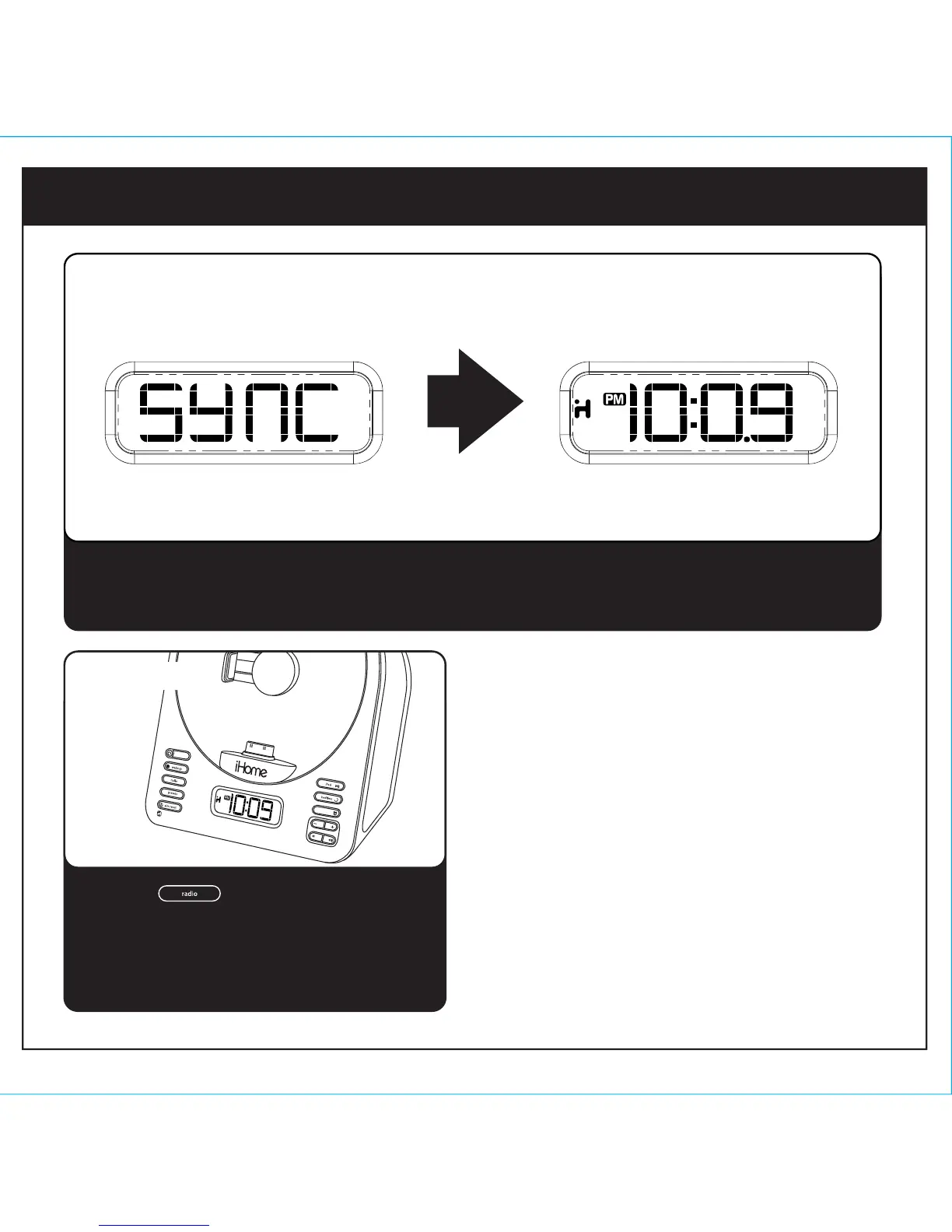
Dock your iPhone or iPod (see step 3). Press and release the Time Set/Sync Button located on
back of the iA63. “SYNC” will appear on the display, followed by the updated time upon successful
syncing.
4
4: time sync
Press the Button to select FM radio.
Press the + or - Button to tune in a station.
See page 8 for programming presets.
5: FM radio


 To Next Page