EasyManua.ls Logo

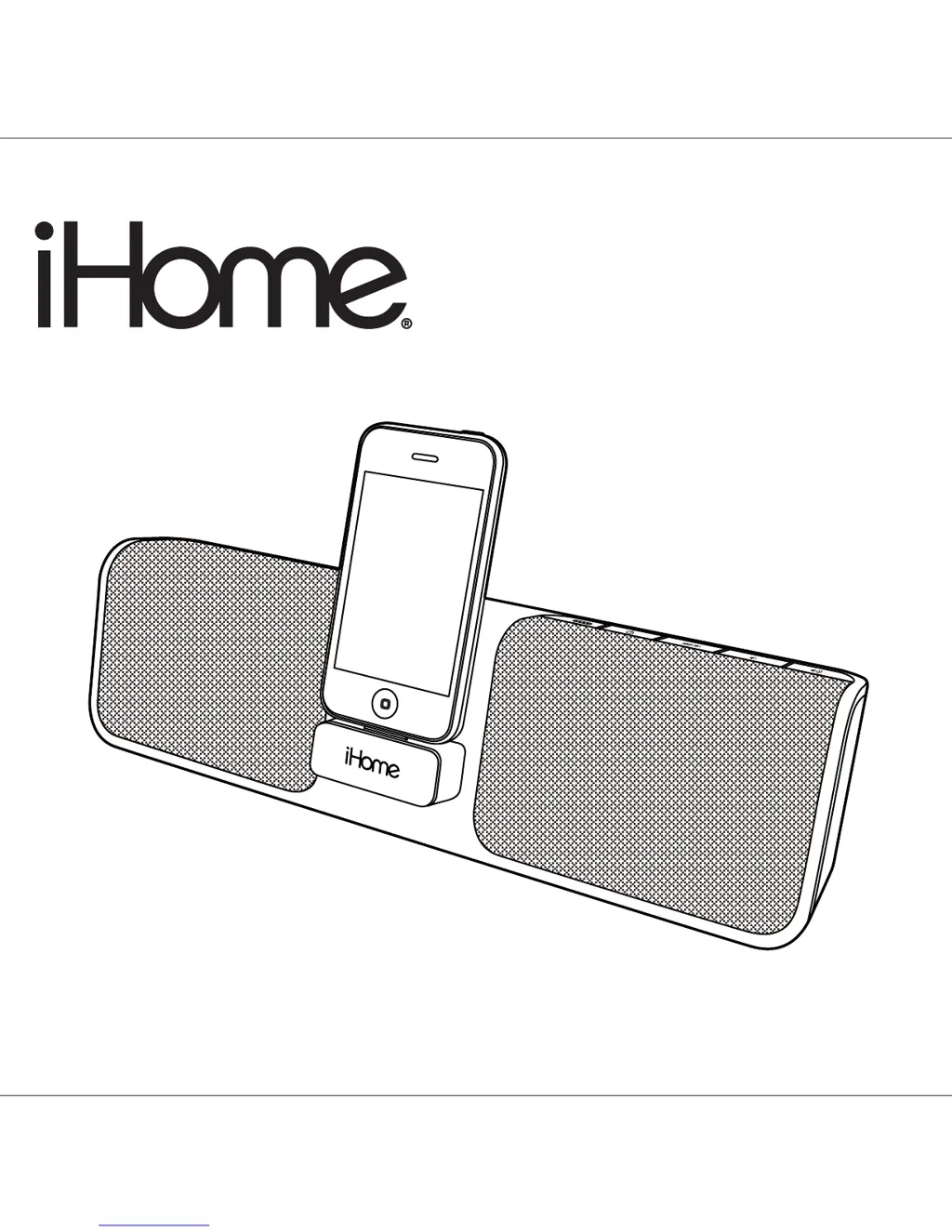
iHome iP46 - User Manual

iHome iP46
11 pages
Print Icon
To Next Page IconTo Next Page
Loading...
Model iP46
Portable Stereo Speakers for
your iPod / iPhone
®
Questions? Visit www.ihomeaudio.com
iP46IBinEnglishversion
Printcolor:Blacktextonwhitepaper
Sizeofmanual:178mmWx178mmH
May06,10
P1

Questions and Answers

  • J
    Jordan SandersJul 26, 2025
    How to fix iHome iP46 when it doesn't respond or has no power?
    • G
      garciacandaceJul 26, 2025
      If your iHome Docking Speakers unit isn't responding and has no power, first, ensure the AC adapter is properly plugged into both a functioning wall outlet and the power supply jack on the back of the unit. If the outlet isn't working, test it with another device and make sure any associated power switch is turned on. Also, if the battery is weak or dead, charge it by connecting the AC adapter to a working outlet until the battery indicator glows steadily.
  • A
    Alicia Gonzalez DVMJul 31, 2025
    Why doesn't the remote control work on my iHome iP46?
    • A
      angel43Jul 31, 2025
      If the remote control for your iHome Docking Speakers isn't working, first replace the battery with a new one. Ensure that you are pointing the remote control towards the unit and are within 15 feet of it. Also, check that the remote switch is in the 'ON' position, not 'AUTO'.
  • D
    diazlauraAug 4, 2025
    What to do if my iPod/iPhone does not respond to the iHome Docking Speakers unit?
    • S
      Seth ReynoldsAug 5, 2025
      If your iPod or iPhone isn't responding to the iHome Docking Speakers unit, remove it from the dock. Check both the connectors in the dock and on your iPod/iPhone for any obstructions. Reseat the iPod/iPhone in the dock to ensure a proper connection. If the issue persists, upgrade the software on your iPod/iPhone via iTunes. If your iPod/iPhone is locked up, ensure it is working properly before docking it into the unit; consult your iPod/iPhone manual for assistance. Note that the unit cannot control 1st or 2nd generation iPods, iPod shuffles, or other devices; use the Line-in jack to play these devices.
  • K
    Kelly SilvaAug 10, 2025
    Why doesn't my iPod/iPhone come on immediately on iHome Docking Speakers?
    • J
      Jackson PeckAug 10, 2025
      If your iPod or iPhone doesn't come on immediately when docked with your iHome Docking Speakers, it might be in deep sleep mode if it hasn't been used for a while; press the Menu button on your iPod/iPhone. Also, if the iPod/iPhone battery is run down or too weak, charge it for about 5 minutes.
  • C
    christina36Aug 15, 2025
    How to dock iPod/iPhone properly on iHome iP46?
    • J
      joneselizabethAug 15, 2025
      If your iPod or iPhone isn't docking properly with your iHome Docking Speakers, remove it from the dock and check for any obstructions on the connectors, both in the dock and on your device. Ensure there's no case or 'skin' on your iPod/iPhone that might interfere with the connection. Then, reseat it firmly in the dock.
  • Z
    zrochaAug 19, 2025
    What to do if iHome iP46 unit operation is erratic?
    • F
      Frederick WarnerAug 19, 2025
      If the operation of your iHome Docking Speakers unit is erratic, it may require a reset. To do this, insert the end of a paperclip or similar object into the Reset port located next to the AC jack. Press it in for a few seconds. Keep in mind that doing so will restore the unit to its factory default settings, overwriting any current settings.

Summary

iP46 Quick Start

Stand Setup

Fold out the stand feet on the bottom for unit operation.

AC Adaptor Connection

Plug the AC adaptor into the DC jack and a working outlet.

iPod;iPhone Docking and Power

Dock your device and press the power button to turn the unit on.

Controls and Indicators

Front Panel Overview

Identifies controls and indicators on the front of the unit.

Rear Panel Overview

Identifies ports and switches located on the rear panel.

Using the iP46 - Core Functions

Charging and Playing iPhone;iPod

Dock, play audio, and charge your iPhone or iPod.

Charging the Internal Battery

Information on charging the device's internal rechargeable battery.

Battery Disposal Instructions

Guidelines for proper disposal of the Lithium-ion battery.

Using the iP46 - Additional Features

Aux Line-in Jack Usage

Connect and play audio from external devices using the line-in jack.

Remote Auto;On Switch

Explanation of the remote auto/on switch for power saving.

Resetting the iP46

Procedure to reset the unit to its default settings.

Product Safety Information

Important Safety Instructions

Essential safety precautions for device operation, placement, and maintenance.

Trouble Shooting

Limited 1 Year Warranty Information

iHome iP46 Specifications

General IconGeneral
Number of drivers-
Number of speakers1
Audio output channels- channels
CertificationEnergy Star
Recommended usageMobile phone/Smartphone
Compatible productsiPhone/iPod
Card reader integratedNo
Impedance- Ω
Frequency range- Hz
RMS rated power- W
Product colorBlack
Audio systemSRS TruBass, Reson8
Power requirements100 - 240V
AUX inYes
Connectivity technologyWired
Power source typeAC, Battery
Weight and Dimensions IconWeight and Dimensions
Depth48.26 mm
Width330.2 mm
Height91.44 mm

Related product manuals