RESET
RESET
TEST
TEST
iP46 Quick Start
1
1:Stand
2:AC adaptor
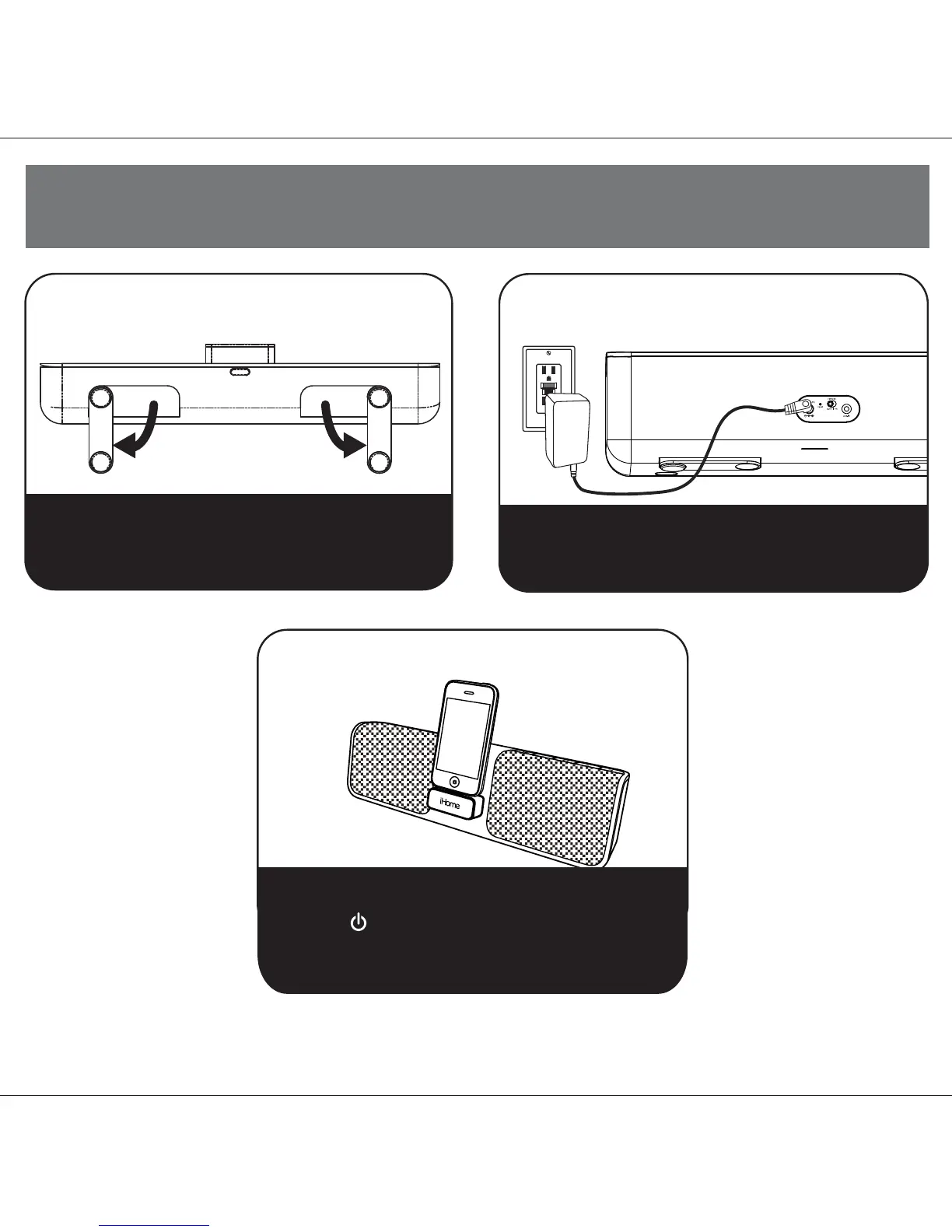
Fold out the stand feet on the bottom of the iP46, then
turn unit up right for operation.
P5
3:iPod/iPhone
Plug the AC adaptor into the DC jack on the rear of the iP46
and the other end into a working outlet. The internal battery
will charge.
Press on the iHome name to release the retracting dock
on the front of the unit. Gently dock your iPhone or iPod.
Press the Button to turn the iP46 on. Access iPod
play mode on your iPhone or iPod to listen to audio.When
connected to AC power, the dock will charge your iPhone
or iPod until completely charged then stop charging.



 To Next Page