7Getting started with your Budii
™
Tablet
SURFING THE WEB
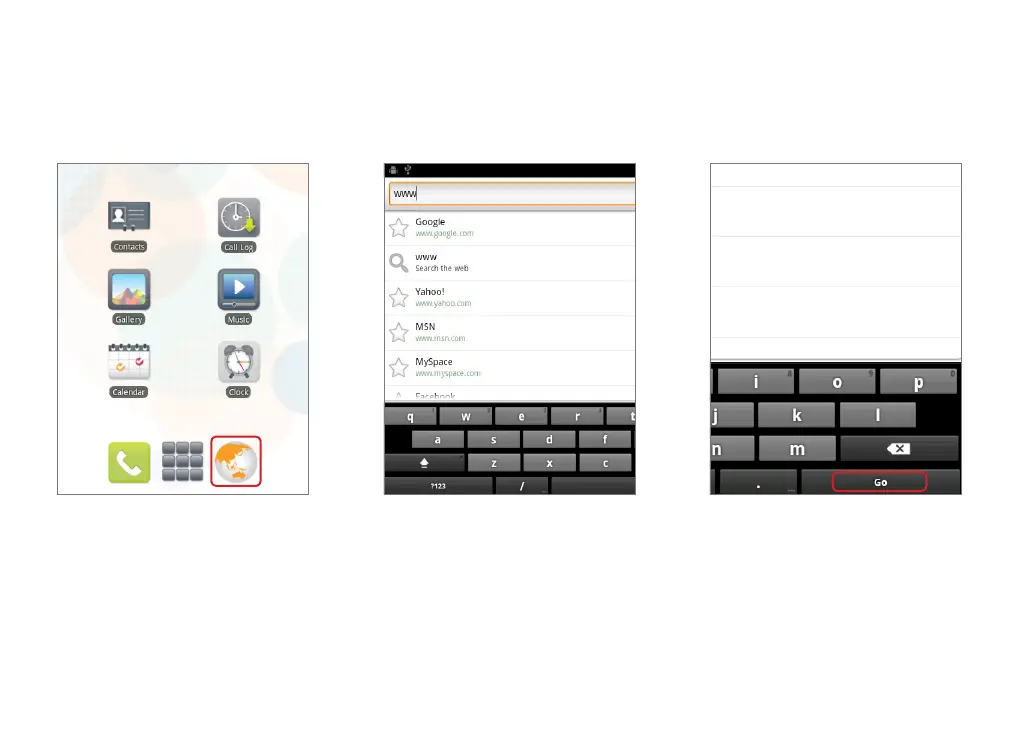
1. From your tablet’s Home screen, press
the Browser icon.
2. Press the Address bar and type either:
× a URL - e.g. www.iinet.net.au
× a search term - e.g. funny cat videos.
3. When you’ve finished typing, press Go.



 To Next Page