ShortCam LiteUser Guide
The user configuration field of the system settings allows you to switch the temperature unit,
and you can select Celsius (℃), Fahrenheit (℉), and Kelvin (K), respectively, and you can set
the location of the data storage, as well as set the data retention size.
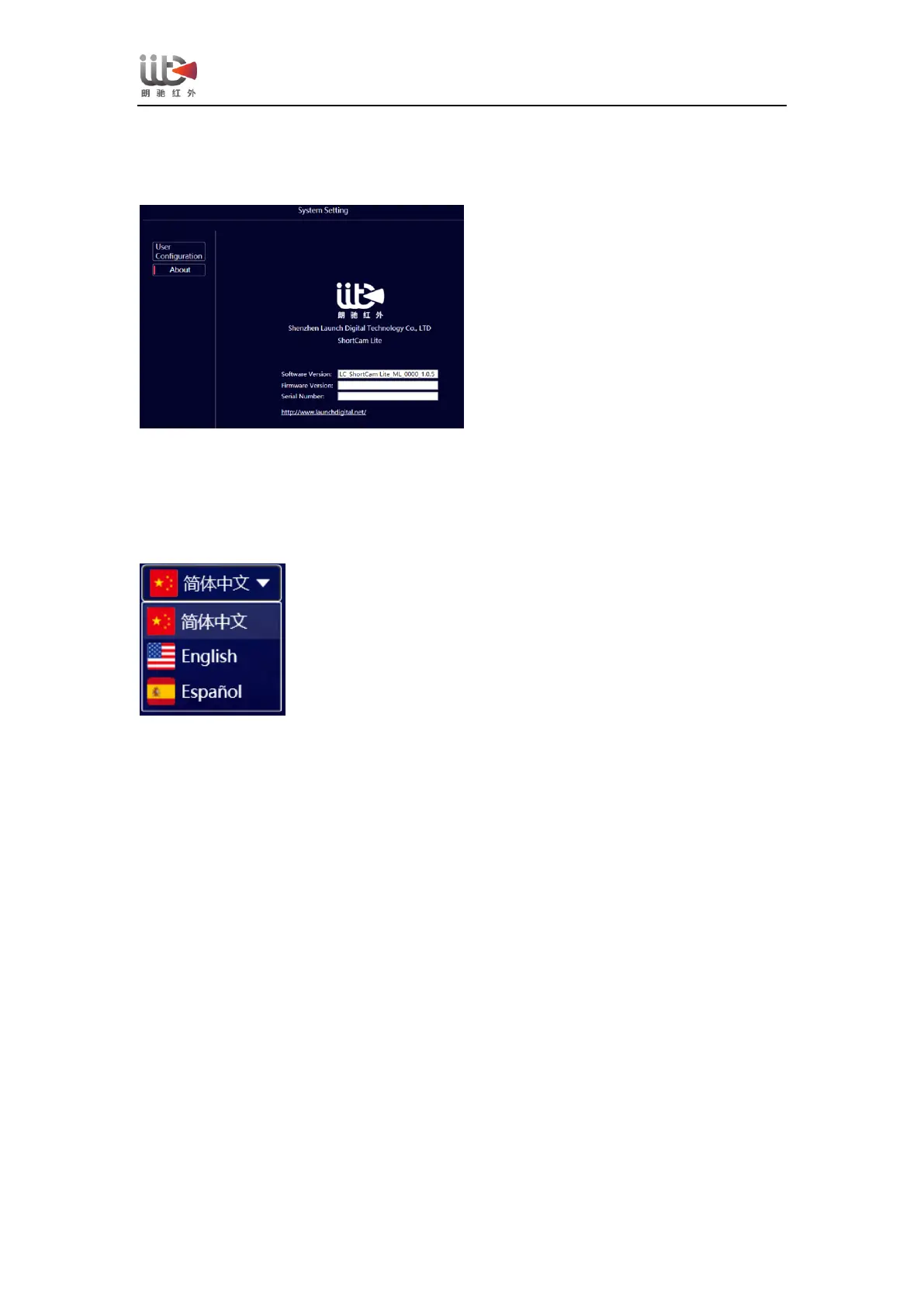
The user field of the system settings allows you to check the software version and firmware
version, and you can visit the official website of Lancaster to check for software version
updates.
【language setting】
Click on the Language Settings drop-down window, it shows that you can choose "Simplified
Chinese", "English (English)", "Español (Spanish)".
3.4 Mobile App Running System Requirements
ShortCam Lite software has the following system requirements for the mobile client app:
Android client: Android 8.0 and above
Apple client: iOS 11 and above
3.5 Mobile App Download and Installation
1、The client software can be downloaded by opening the official website of Lancel
(http://www.launchdigital.net/), clicking "Service and Support" -> "Download Center", and
selecting "ShortCam Lite Android Client" to download; or scan the following QR code to
download (Apple client can be downloaded by scanning the QR code below or searching for
ShortCam Lite on Apple's official website).


 To Next Page