ENGLISH
14 OPERATING THE MONITOR
Menu:1
1680 × 1050
H:65.4KHz V:60.1Hz
DCR
OFF
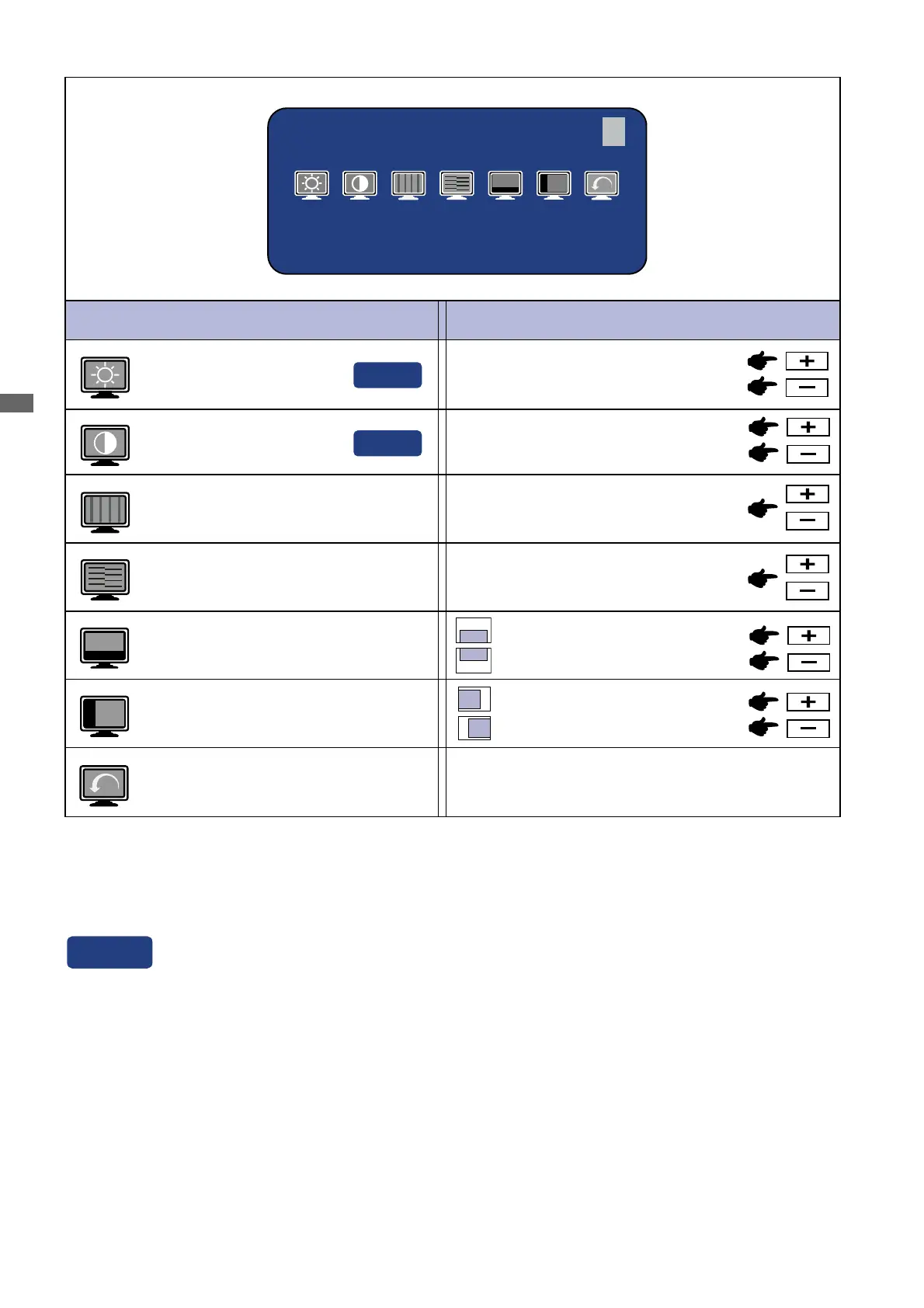
Adjustment Item Problem / Option Button to Press
Too dark
Too bright
Brightness *
1
Contrast
Too dull
Too intense
To correct flickering text or lines
Clock *
2
Phase *
2
H-Position
Too far to the left
Too far to the right
V-Position
Too low
Too high
Return to Menu Highlight “Menu : 1” again.
To correct flickering text or lines
Direct
Direct
*
1
Adjust the Brightness when you are using the monitor in a dark room and feel the screen is too
bright.
*
2
See page 21 for SCREEN ADJUSTMENTS.
Menu : 1
(Analog)
Analog Input
See page 13 for Direct adjustment.
Direct






 To Next Page