ENGLISH
BEFORE YOU OPERATE THE MONITOR 13
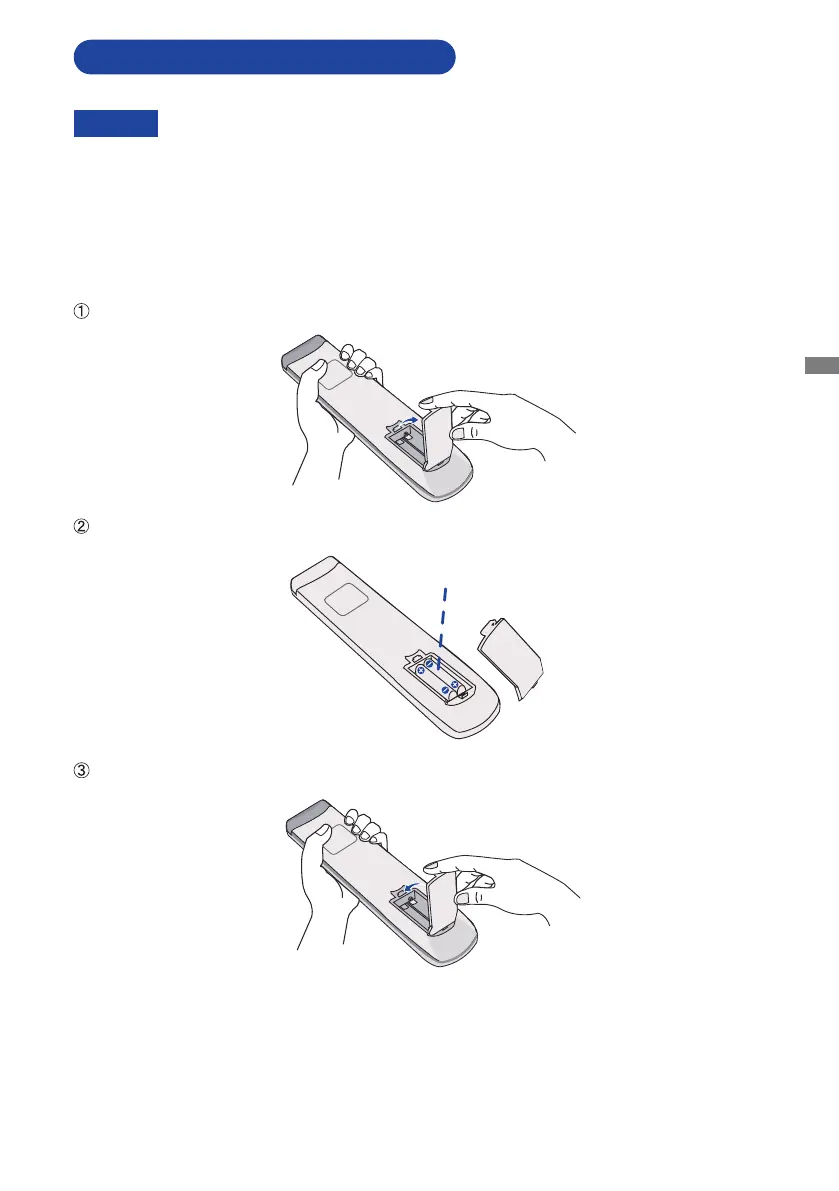
To use the remote control, insert the two dry batteries.
PREPARING THE REMOTE CONTROL
Open back cover of battery component on the back of remote control.
AlignandinserttwoAAAbatteriesaccordingtotheirplusandminusports(asindicatedinthe
remotecontrol).
After battery is installed, close the back cover of battery components, and make the following clip
buckled to the bottom.
Battery x 2
CAUTION
DonotuseanyotherbatteriesotherthanthosespeciedinthismanualfortheRemoteControl.
Do not insert old and new batteries together in the Remote Control.
Make sure that the terminals match the "+" and "-" indications in the battery compartment.
Remove the dead batteries immediately to prevent them from liquid leaking into the battery
compartment.
Burstbatteriesortheelectrolytefromthesebatteriesmaycausestains,reorinjury.


 To Next Page
 Loading...



