ENGLISH
6 BEFORE YOU OPERATE THE MONITOR
UNPACKING
Before unpacking your monitor, prepare a stable, level, and clean surface near a wall outlet.
Set the LCD Monitor box in an upright position and open from the top of the box before removing
the top cushions.
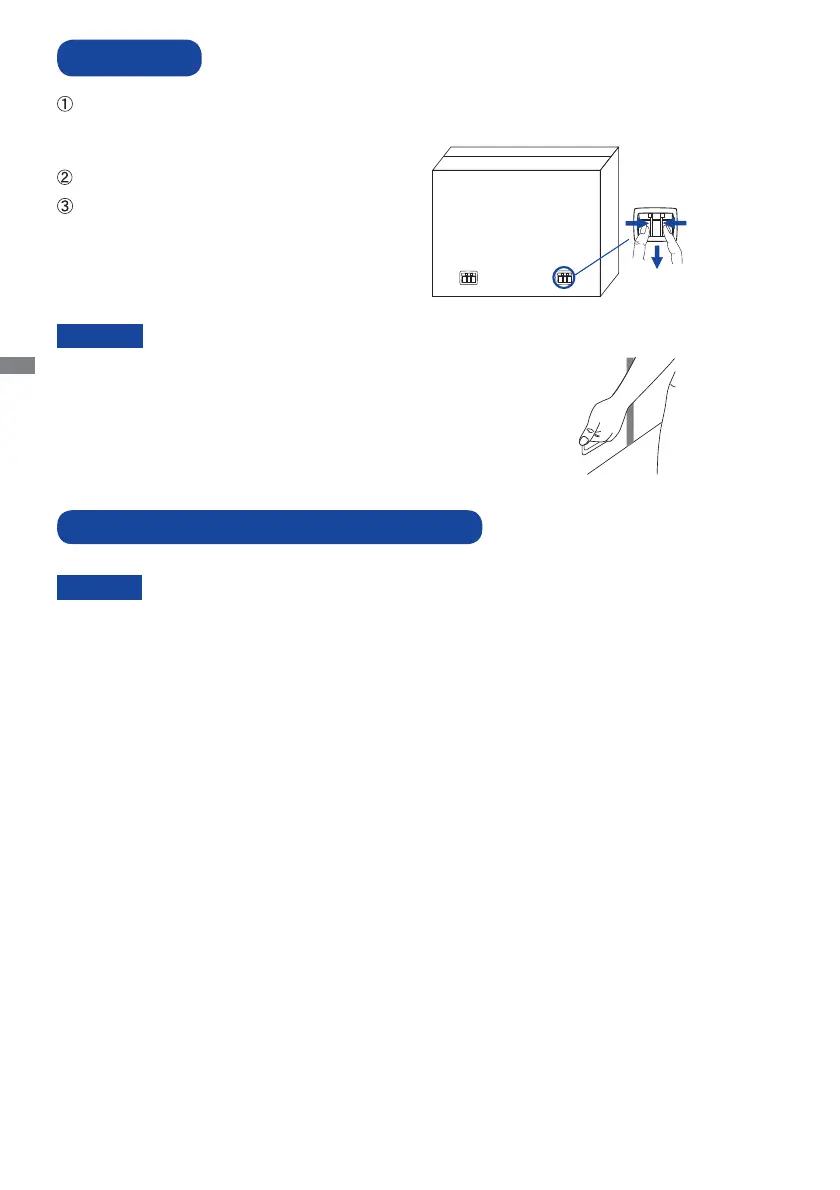
Remove the carton holders.
Remove the top cushion and take
the accessories box and the Monitor out.
CAUTION
Moving the monitor requires at least two people. If not, it may drop
and could result in a serious injury.
When moving/shipping the monitor, please hold by the carton holders.
SPECIAL NOTES ON : ProLite TH4264MIS
Permanent damage can occur if Sharp Edged, Pointed or Metal items are used to activate Touch.
This could invalidate any remaining warranty.
We recommend you use a plastic stylus (tip R0.8 or over) or fi nger.
CAUTION
Pinch and Pull the Knob.





 To Next Page