18
Change mode
B A
6
Power
Switch off the device and
switch on again, see 1
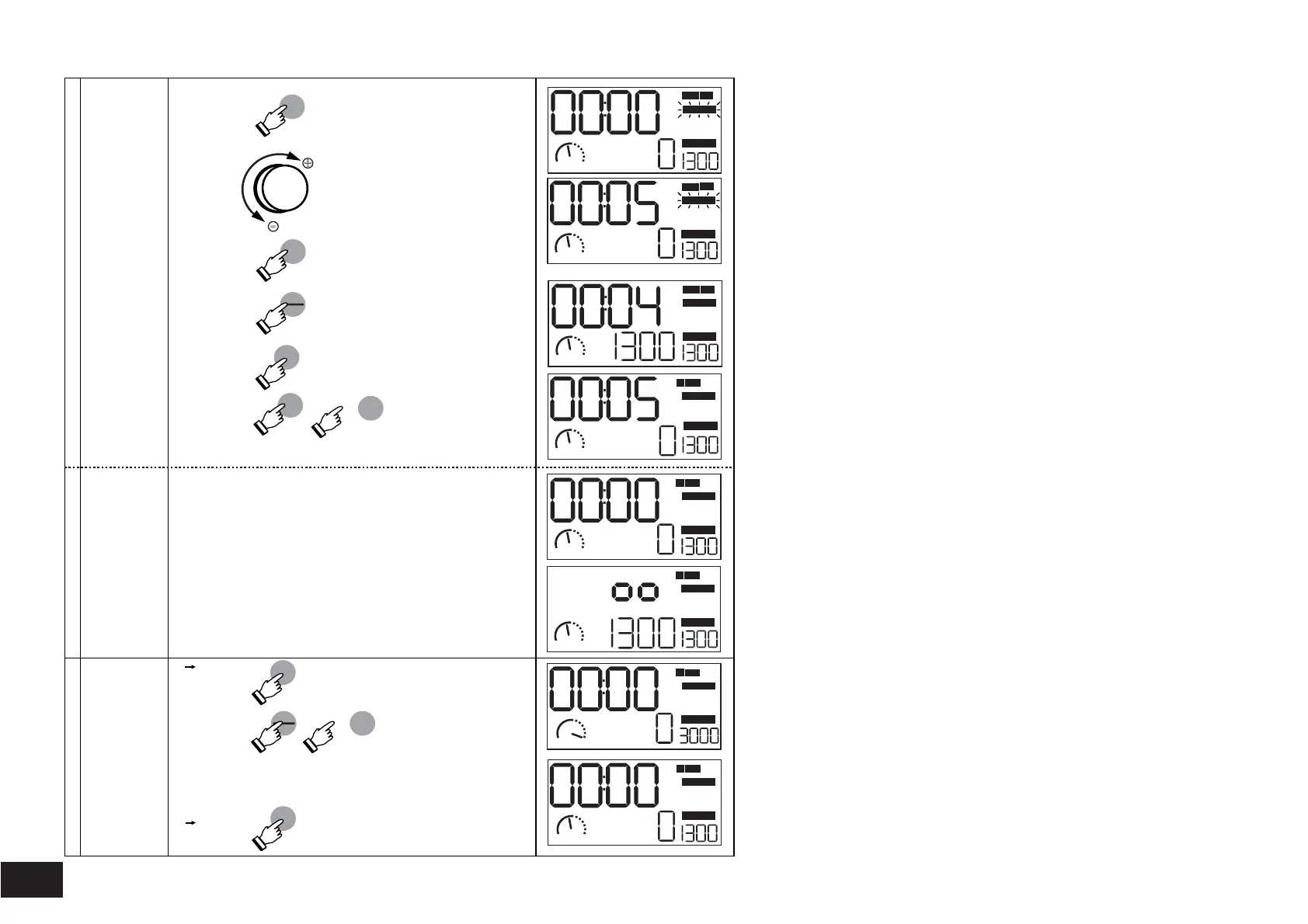
Setting Timer /
Change Timer
Setting
Mode Timer min:sec
Change to
mode h:min
Countdown runs
Switch off the device
Power
5.1
5.2
Mode B
Operating modes "Touch" and
"Contionuous operation"
Speed upto 3000 1/min
Switch off the device
Power
Switch on:
Keep the button "Start/Stop"
pressed and also press the
button "Power"
Power
Start
Stop
Time
Set
Power
Time
Set
Time
Set
Set the desired time
A B
-
+
Start
Stop
Confirm
Operation without
timer setting
Value "Time"=0, no countdown
An audible signal will be given
three times when the count-
down is complete
Keep the button “Set Time”
pressed and also press the
button "Power".
Value "Time"=0, no countdown,
Device in operation
A
1300
A
1300
:
:
min:
sec
SET TIME
SET 1/min
min: sec
SET TIME
SET 1/min
A
1300
SET 1/min
SET TIME
A
1300
min:
sec
:
:
h:
min
SET TIME
SET 1/min
SET 1/min
SET TIME
h:
min
A
1300
:
SET 1/min
SET TIME
h:
min
A
1300
3000
B
:
SET 1/min
SET TIME
h:
min
:
A
1300
h:
min
SET TIME
SET 1/min


 To Next Page