9
4 ROASTING: PRE-HEATING
The IKAWAapp will show that the machine is pre-heating by
displaying the temperature in the machine.
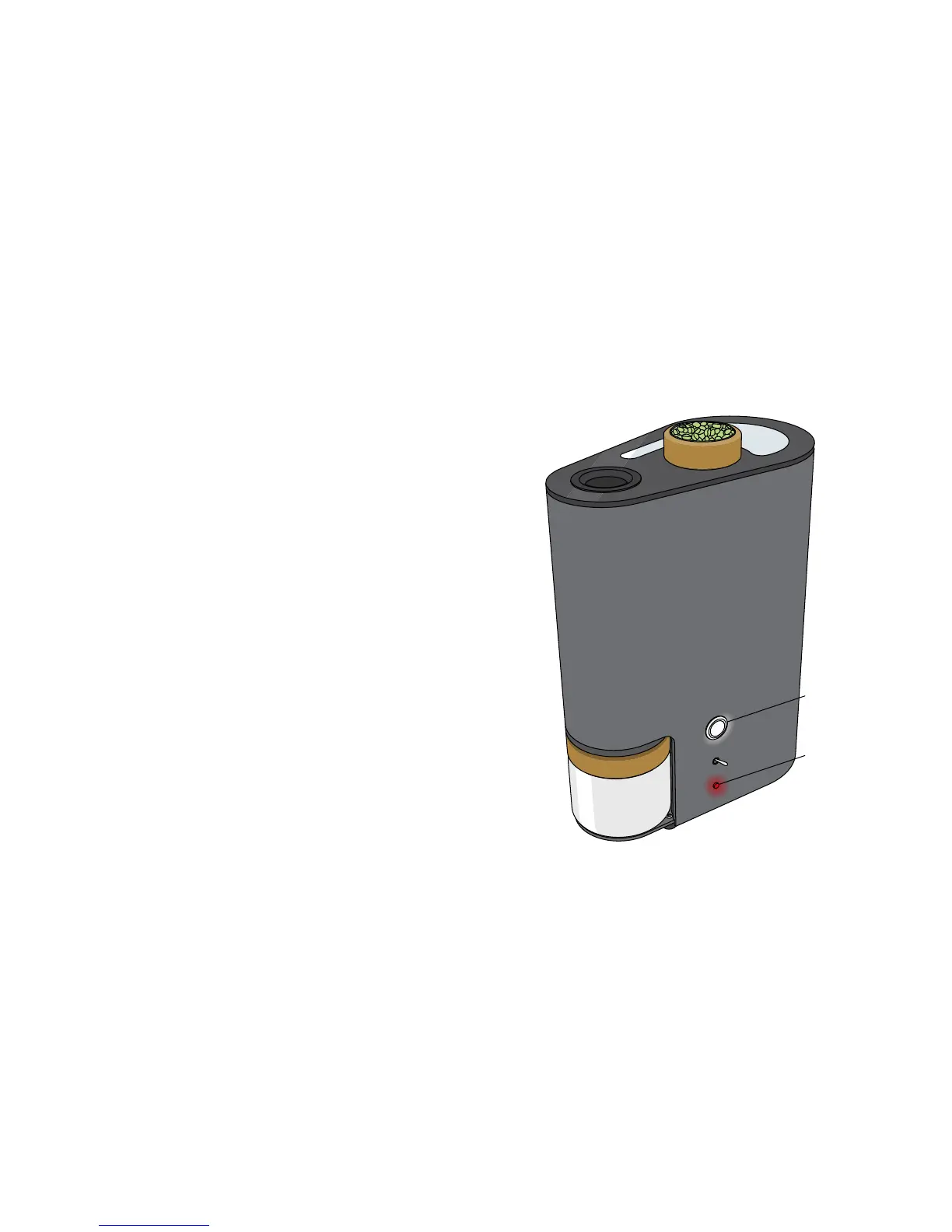
If you want to cancel the pre-heat mode, press the top button
on the machine. The machine will start to cool-down. (see
following pages)
Once the machine has heated to the starting temperature
wait until the status light on the machine blinks red.
If the roaster temperature does not reach and stabilise at the
profile starting temperature, or the user does not press the
top button after two minutes the roaster will automatically
swtich into cool down mode.
If the roaster is cold and/or profile starting temperature is
high and/or the profile starting fan speed is high the roaster
may not reach and stabilise at the starting temperature in
two minutes. If this happens try pre-heating the roaster again
after the cool down mode has finished.
top button
status light



 To Next Page