4 ROASTING: DOSING
①
②
10
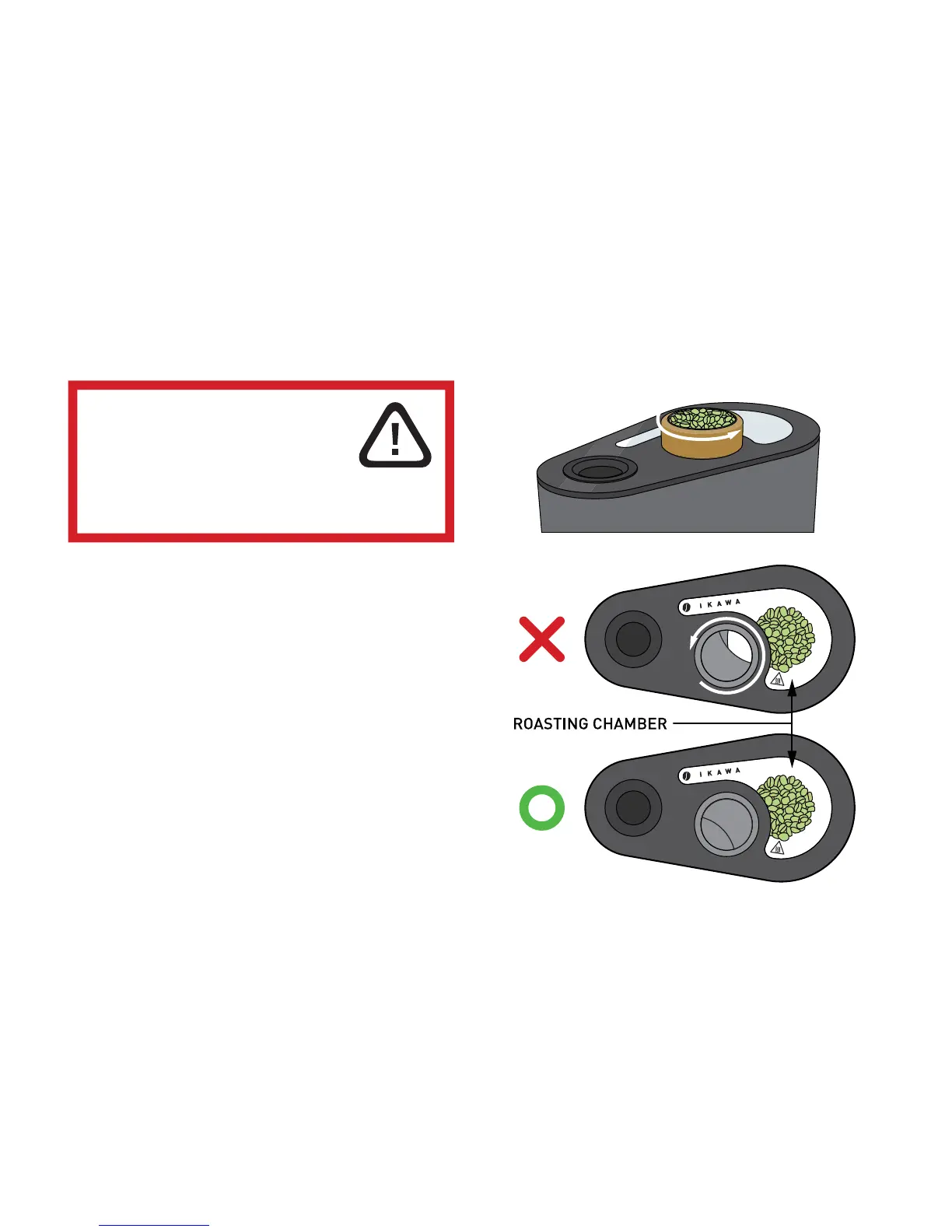
① Turn the doser halfway so that all the beans fall through
the hole of the doser into the Roasting Chamber.
The fan will slow down while the doser is open
and the status light will blink red and green.
② Turn the doser back so that it closes off the Roasting
Chamber completely.
The fan will speed up again and the status light on the
machine should stop blinking and be steadily red (If this is not
the case the doser is most probably not shut properly)
The roaster will now start the roasting process.
WARNING:
THE MACHINE LID COULD BE VERY HOT
DO NOT TOUCH ANY PARTS OR
SURFACES OTHER THAN
THE CORK GRIP ON THE DOSER



 To Next Page