EasyManua.ls Logo

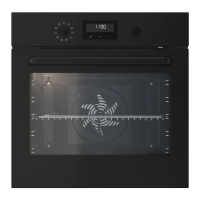
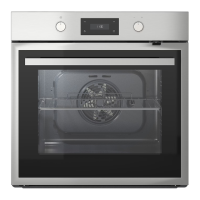
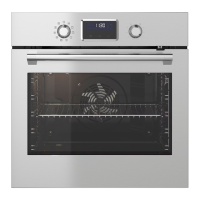
IKEA SMAKSAK Series - User Manual

IKEA SMAKSAK Series
72 pages
Print Icon
To Next Page IconTo Next Page
Loading...
SMAKSAK
GB
DE

Questions and Answers

  • L
    Lorraine MullinsAug 16, 2025
    Why is my IKEA Oven not heating up?
    • J
      James TravisAug 16, 2025
      Your IKEA Oven might not be heating up due to several reasons. The oven may be deactivated, so you should activate it. Also, the clock might not be set, so set the clock. Ensure the necessary settings are correctly configured. The door might not be fully closed, so close the door completely. A blown fuse could also be the cause; verify the fuse and, if it repeatedly blows, consult a qualified electrician.
  • A
    Anthony PorterAug 19, 2025
    Why is there steam and condensation in my IKEA SMAKSAK?
    • T
      tyler61Aug 19, 2025
      Steam and condensation may settle on the food and in the cavity of your IKEA oven if you leave the dish in the oven for too long. Do not leave the dishes in the oven for longer than 15 - 20 minutes after the cooking process ends.
  • E
    erin07Aug 22, 2025
    Why is the water not boiling in my IKEA Oven cavity embossment?
    • A
      aaron80Aug 22, 2025
      The water in the cavity embossment of your IKEA oven might not boil if the temperature is too low. Set the temperature to at least 110 °C.
  • A
    Ashley KellerAug 26, 2025
    Why is water coming out of the cavity embossment in my IKEA SMAKSAK Oven?
    • J
      Jesse TerrellAug 26, 2025
      Water might come out of the cavity embossment in your IKEA Oven because there is too much water in it. Deactivate the oven and make sure that the appliance is cold. Wipe the water with a cloth or sponge. Add the correct amount of water to the cavity embossment. Refer to the specific procedure.
  • M
    michael65Aug 28, 2025
    Why is the lamp turned off in my IKEA Oven?
    • M
      Michael HillAug 28, 2025
      The lamp in your IKEA oven might be turned off because the Eco Fan Cooking function is activated. This is normal behavior for the Eco Fan Cooking function.
  • S
    Susan MartinAug 31, 2025
    What to do if my IKEA Oven displays "F102"?
    • D
      dcollinsAug 31, 2025
      If your IKEA Oven displays the error code "F102", it could be due to a couple of reasons. First, make sure that the door is fully closed. If the issue persists, the door lock might be defective. In this case, deactivate the oven using the house fuse or safety switch in the fuse box, then reactivate it. If the error code "F102" reappears, it is recommended to contact an Authorised Service Centre.
  • R
    Rachel MccartySep 2, 2025
    What to do if my IKEA Oven lamp does not operate?
    • J
      Julie CrawfordSep 3, 2025
      If the lamp in your IKEA Oven isn't working, the lamp is likely defective and needs to be replaced.
  • S
    Sharon RodriguezSep 6, 2025
    What to do if my IKEA Oven display shows "C3"?
    • T
      Timothy LucasSep 6, 2025
      If the display of your IKEA oven shows "C3", the cleaning function isn't working. Ensure that you fully close the door.
  • R
    Randy DominguezSep 9, 2025
    What to do if my IKEA SMAKSAK display shows "C2"?
    • E
      Edward LopezSep 9, 2025
      If the display of your IKEA Oven shows "C2", and you're trying to start the Pyrolysis or Defrost function, it means you haven't removed the core temperature sensor plug from the socket. Remove the core temperature sensor plug from the socket.
  • L
    Larry MitchellSep 12, 2025
    What to do if my IKEA Oven shows an error code not in the manual?
    • D
      Donna JohnsonSep 12, 2025
      If your IKEA Oven displays an error code that isn't listed, it suggests an electrical fault. Deactivate the oven using the house fuse or the safety switch in the fuse box, then reactivate it. If the error code persists, contact an Authorised Service Centre.

Summary

Safety Information

Children and Vulnerable People Safety

Safety guidelines for children and individuals with reduced capabilities.

General Safety

Important safety instructions for installation, use, and maintenance of the appliance.

Installation Instructions

Detailed steps and requirements for correctly installing the appliance.

Electrical Connection Safety

Guidelines for safe electrical hook-up and precautions against hazards.

Safe Appliance Usage

Precautions and guidelines for operating the appliance safely and avoiding damage.

Installation

Service and Disposal

Information on appliance service, repairs, and proper disposal procedures.

Assembly and Cable

Guidance on assembling components and specifications for the power cable.

Electrical Installation Details

Steps for safe electrical installation and connection of the appliance.

Product Description

General Overview and Accessories

Description of the oven's general layout and included accessories.

Control Panel

Button Functions

Explanation of buttons and their functions on the oven's control panel.

Before First Use

Display Indicators

Explanation of symbols and indicators shown on the oven's display.

Initial Cleaning and Preheating

Steps for cleaning and preheating the oven before its first operation.

Mechanical Child Lock Operation

Instructions on how to engage and disengage the oven's mechanical child lock.

Daily Use

Heating Functions and Applications

Overview of various heating functions and their specific applications for cooking.

Setting Heating Functions

Step-by-step guide to selecting and setting heating functions and temperatures.

Direct Steam Function

Instructions for using the Direct Steam function to add humidity during cooking.

Clock Functions

Clock Function Table

Reference table detailing available clock functions and their uses.

Setting and Changing Time

Procedure for setting and adjusting the oven's time of day.

Duration and Timer Settings

How to set the DURATION, END, TIME DELAY, and MINUTE MINDER functions.

Using the Accessories

Inserting Oven Accessories

Guidance on how to correctly insert wire shelves and baking trays.

Core Temperature Sensor Usage

Instructions for using the core temperature sensor to monitor food internal temperature.

Additional Functions

Telescopic Runners

Information on installing and using telescopic runners for shelves and trays.

Child Lock and Indicators

Details on the child lock feature, residual heat, and automatic switch-off.

Hints and Tips

Cooking Recommendations

General advice for optimal cooking performance and energy saving.

Baking and Roasting Tips

Specific tips for baking cakes and cooking meat/fish.

Cooling Fan and Safety Thermostat

Explanation of the cooling fan operation and the safety thermostat.

Eco Fan Cooking

Cooking Suggestions

Recommended temperatures, shelf positions, and times for Eco Fan Cooking.

Recommended Accessories

List of recommended dark, non-reflective tins and containers for Eco Fan Cooking.

Test Institute Information

Details on tests conducted according to IEC 60350-1 standards.

Care and Cleaning

Notes on Cleaning

General guidelines for cleaning the oven exterior, interior, and accessories.

Cavity Embossment Cleaning

Procedure for removing limestone residue from the cavity embossment using vinegar.

Removing Shelf Supports

Instructions on how to safely remove and reattach shelf supports for cleaning.

Pyrolysis Function Operation

Steps for activating the pyrolytic self-cleaning function and safety precautions.

Door and Glass Panel Removal

Guide on removing the oven door and glass panels for cleaning.

Troubleshooting

Replacing the Lamp

Instructions and safety precautions for replacing the oven's light bulb.

Problem Resolution

Detailed guide to diagnose and resolve common oven operational issues.

Error Code Interpretation

Explanation of error codes displayed by the oven and their corresponding remedies.

Service Data Information

Information on where to find essential service data and contact details.

Technical Data

Appliance Specifications

Detailed technical specifications including dimensions, power, and functions.

Energy Efficiency Information

Data on the oven's energy consumption, efficiency index, and class.

IKEA Guarantee

Guarantee Validity and Coverage

Details on the duration, coverage, and execution of the IKEA appliance guarantee.

Exclusions and Legal Rights

Information on what is not covered by the guarantee and applicable consumer rights.

The Dedicated After Sales Service for IKEA Appliances

Contacting IKEA Service

How to contact IKEA After Sales Service for requests and clarifications.

Seeking Additional Help

Guidance on where to find help for questions not related to After Sales service.

IKEA SMAKSAK Series Specifications

General IconGeneral
Energy ClassA
Voltage220-240 V
Cooling fanYes
TypeBuilt-in oven
Functionsdefrost
CleaningCatalytic
Cord Length1.5 m
Frequency50 Hz

Related product manuals