ON / OFF
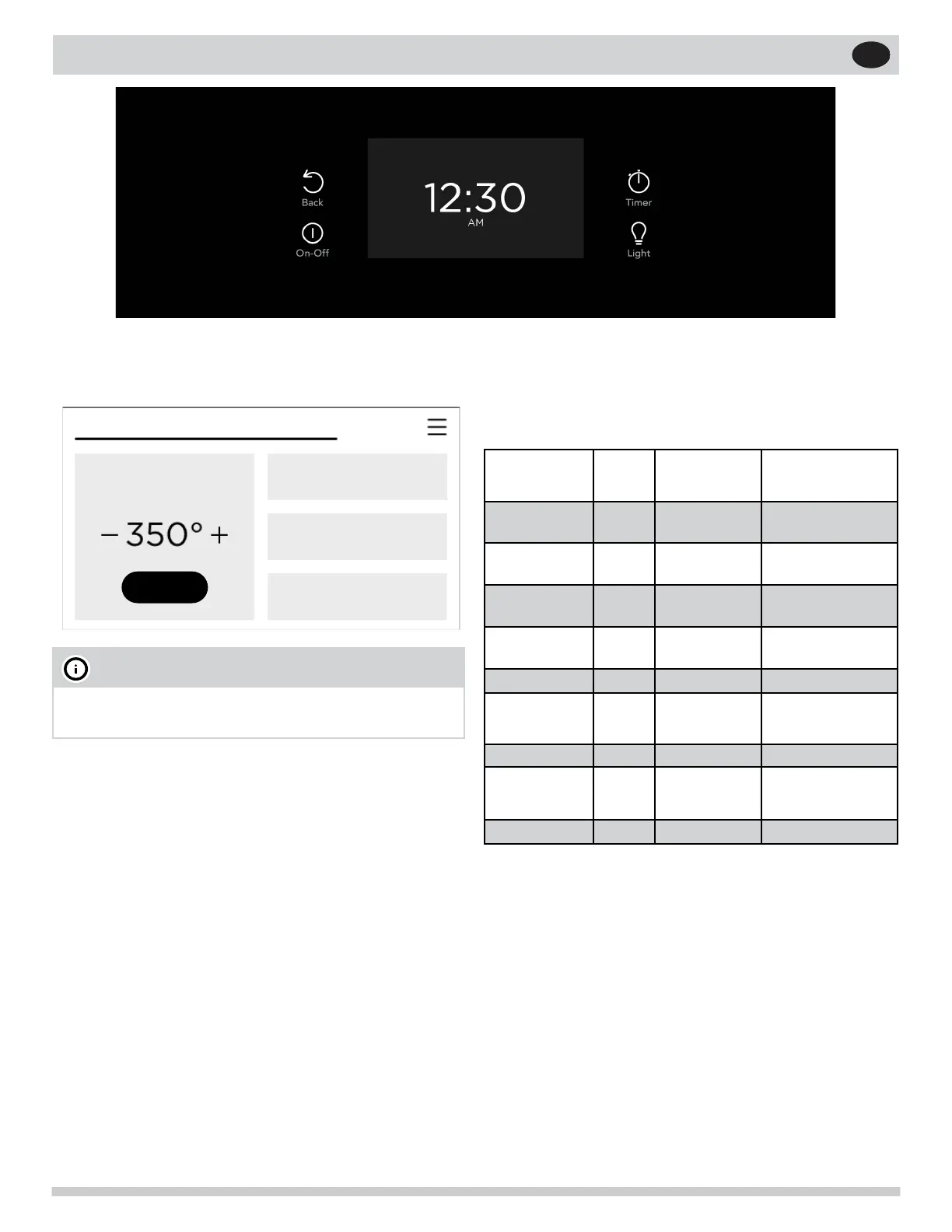
When ON/OFF is pressed, the display opens to the
Quick Start screen.
Table 1: Minimum and maximum control set-
tings
Feature Mode Min Temp/
Time
Max Temp/
Time
Bake 170°F
(77°C)
550°F (288°C)
Broil 400°F
(205°C)
550°F (288°C)
Conv Bake 170°F
(77°C)
550°F (288°C)
Keep Warm 140°F
(60°C)
200°F (93°C)
Timer 0:01 Min
11:59 Hr./Min.
Clock Time 12 Hr.
24 Hr
1:00 Hr./Min.
0:00 Min
11:59 Hr./Min.
23:59 Hr./Min.
Delay Start 0:01 Min. 1:00 Hr./Min.
Cook Time
12 Hr.
24 Hr
0:01 Min
0:01 Min
11:59 Hr./Min.
11:59 Hr./Min.
Self Clean 2 hours 4 hours
OVEN CONTROLS
Quick Start
Oven Modes
Broil
Custom Preheat
START
OVEN
NOTE
In addition to ON/OFF, touching the screen will
also activate the display.
If the oven is on when ON/OFF is pressed, it will
turn off completely, canceling any functions that are
running at the time.
BACK
Pressing the Back key will return to the previous
screen without implementing any changes you may
have selected.
TIMER
Pressing Timer will access the timer function. The
timer will count down the amount of time you spec-
ify, and a tone will sound when the timer reaches
zero. You can set a timer from 1 minute to 11 hours
and 59 minutes.
Enter the desired time and press START. While the
timer is running, you can pause or cancel the count-
down. You can also add or subtract time by pressing
+ or -.
LIGHT
Press the Light key to turn the oven light on or off .
16


 To Next Page