OVEN CONTROLS
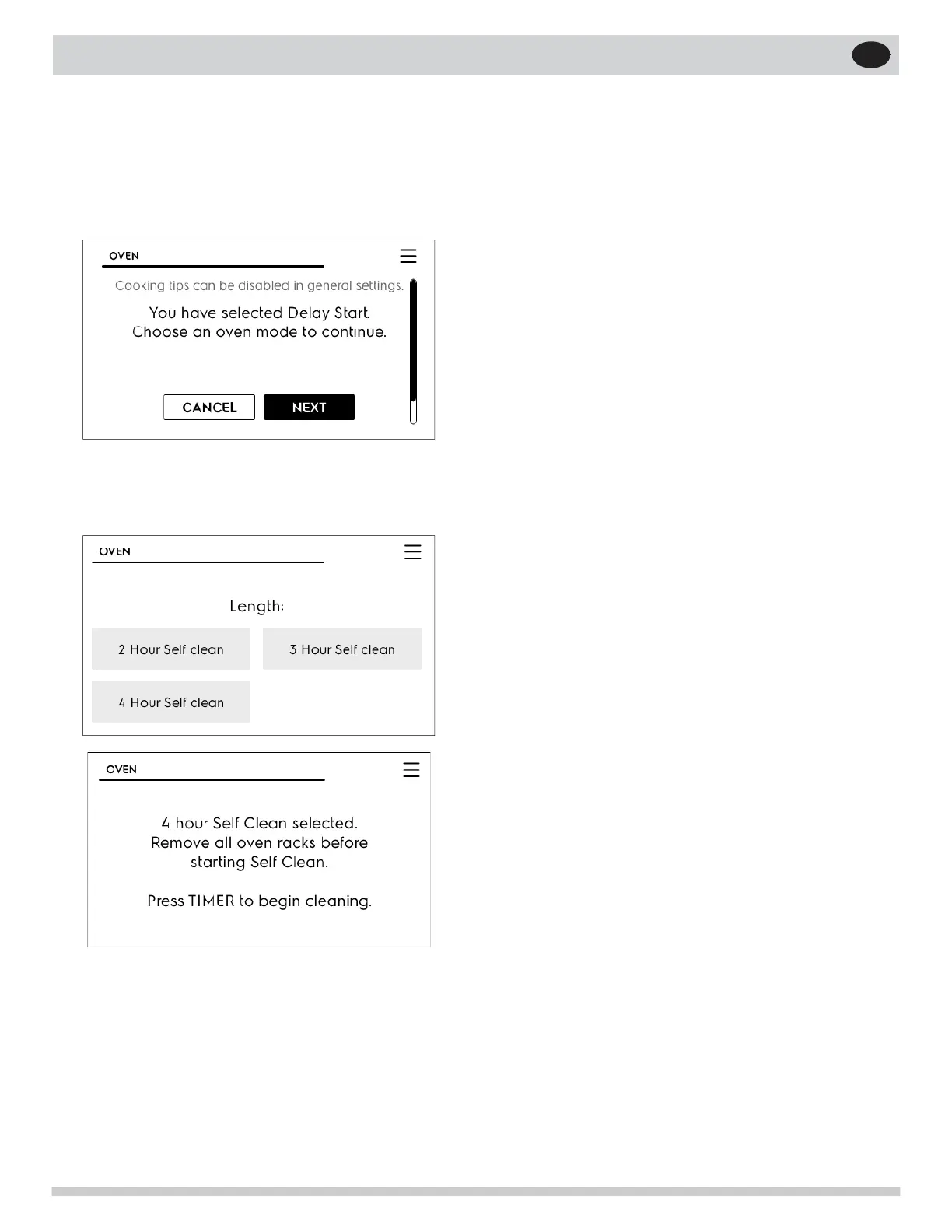
Setting Delay Start Self Clean
To start a delay self clean with default clean
time of 3 hours.
1. Press ON/OFF key and touch Oven Modes.
2. Scroll and touch Delay Start.
If it becomes necessary to stop self clean
when active:
• Press OFF.
• If self clean has heated the oven to a high
temperature, allow enough time for the oven to
cool.
• Before restarting self clean, be sure to read im-
portant notes below.
Important notes
• If self clean was active and then interrupted by
a power failure or canceled before the oven was
thoroughly cleaned, it may be necessary to run
another self clean cycle.
• If the oven temperature was high enough when
self clean was interrupted the oven control may
not allow another self clean cycle to be set for
up to 4 hours.
3. Touch NEXT and scroll Oven Modes to Self
Clean. Follow the information on the screen to
set delay time, self clean time.
26


 To Next Page