36 IKE 4 User Manual
Introduction to IKE Field
IKE Field is an Android app that runs the IKE device.
Settings
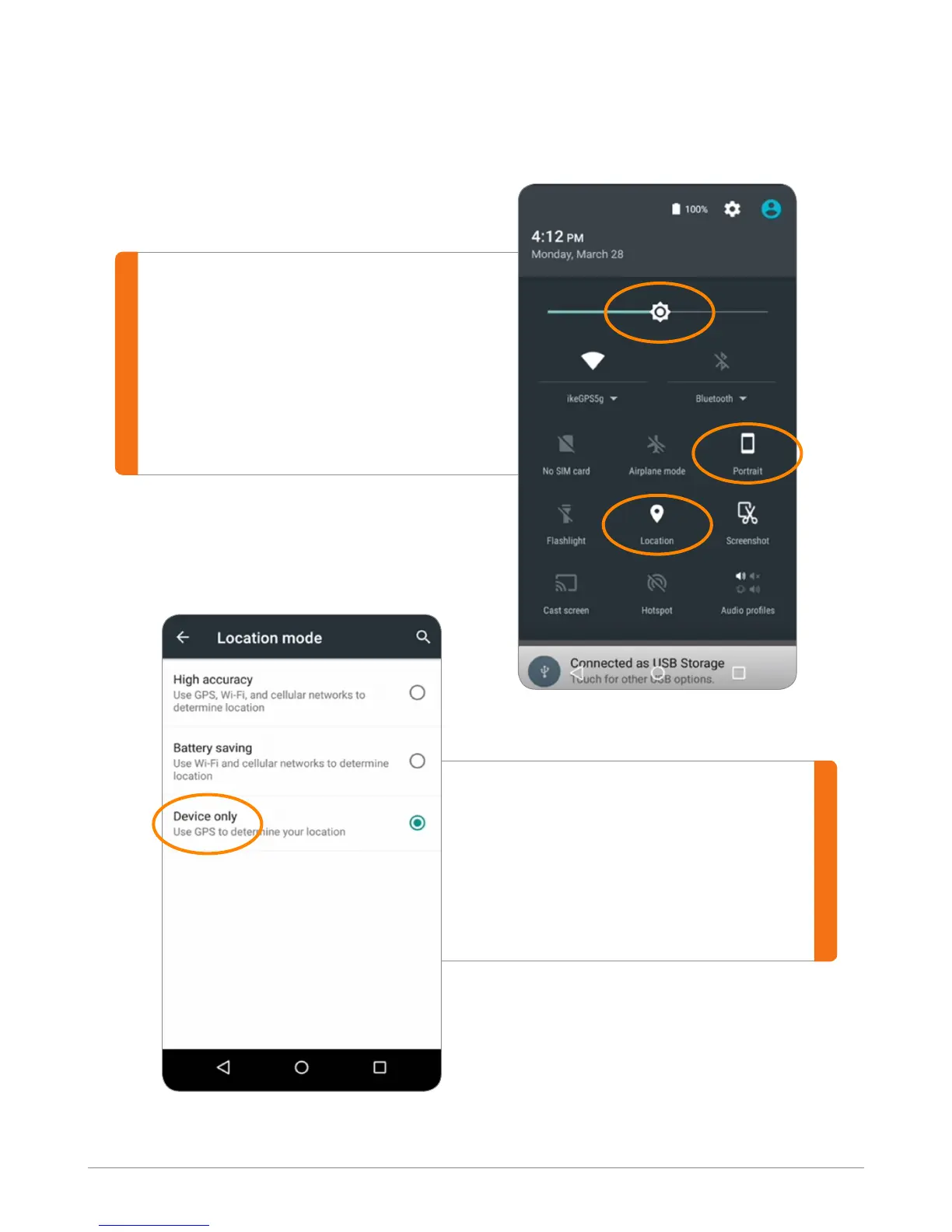
Go to Setting on the Device:
ĥ Set screen orientation to Portrait.
ĥ Turn on Location service.
ĥ Set brightness to about 50%.
Go to Setting on the Device:
The Location mode should be set
to Device Only to ensure use of the
built-in sub-meter GPS for location
measurements.


 To Next Page