IKE 4 User Manual 37
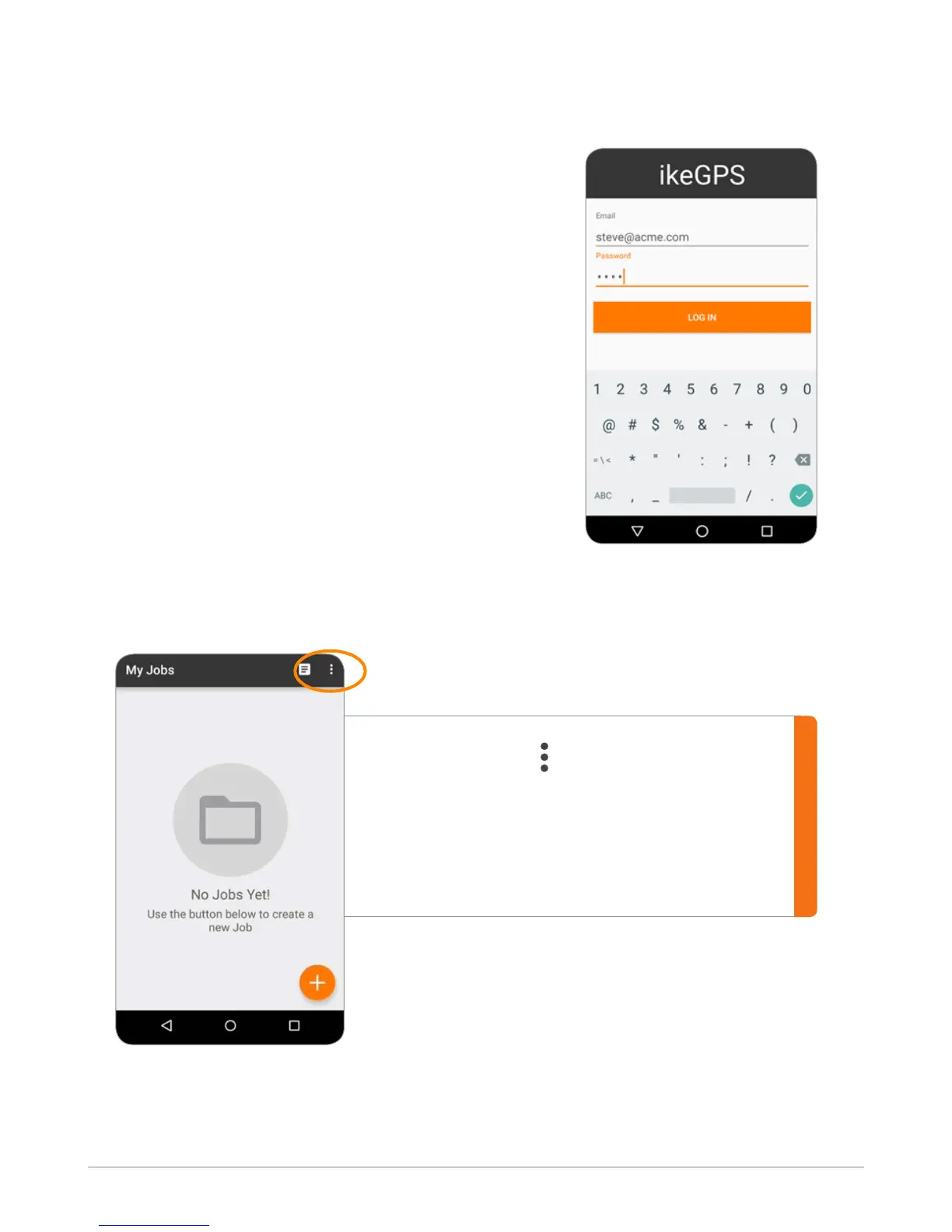
Sign into the application with the same email and
password as used for IKE Ofce.
This user information will be saved, so the next time
the application is opened it will already be logged
into the most recent account.
Signing In
Field Data Collection Step-by-Step
The rst time you sign in to IKE Ofce, you may see the blank job screen.
The More button (
) allows you to:
ĥ Check version of the IKE Field app
ĥ Log in as different user
ĥ Change settings on date format, and
measurement unit (Meter vs. Feet/Inches).


 To Next Page