38 IKE 4 User Manual
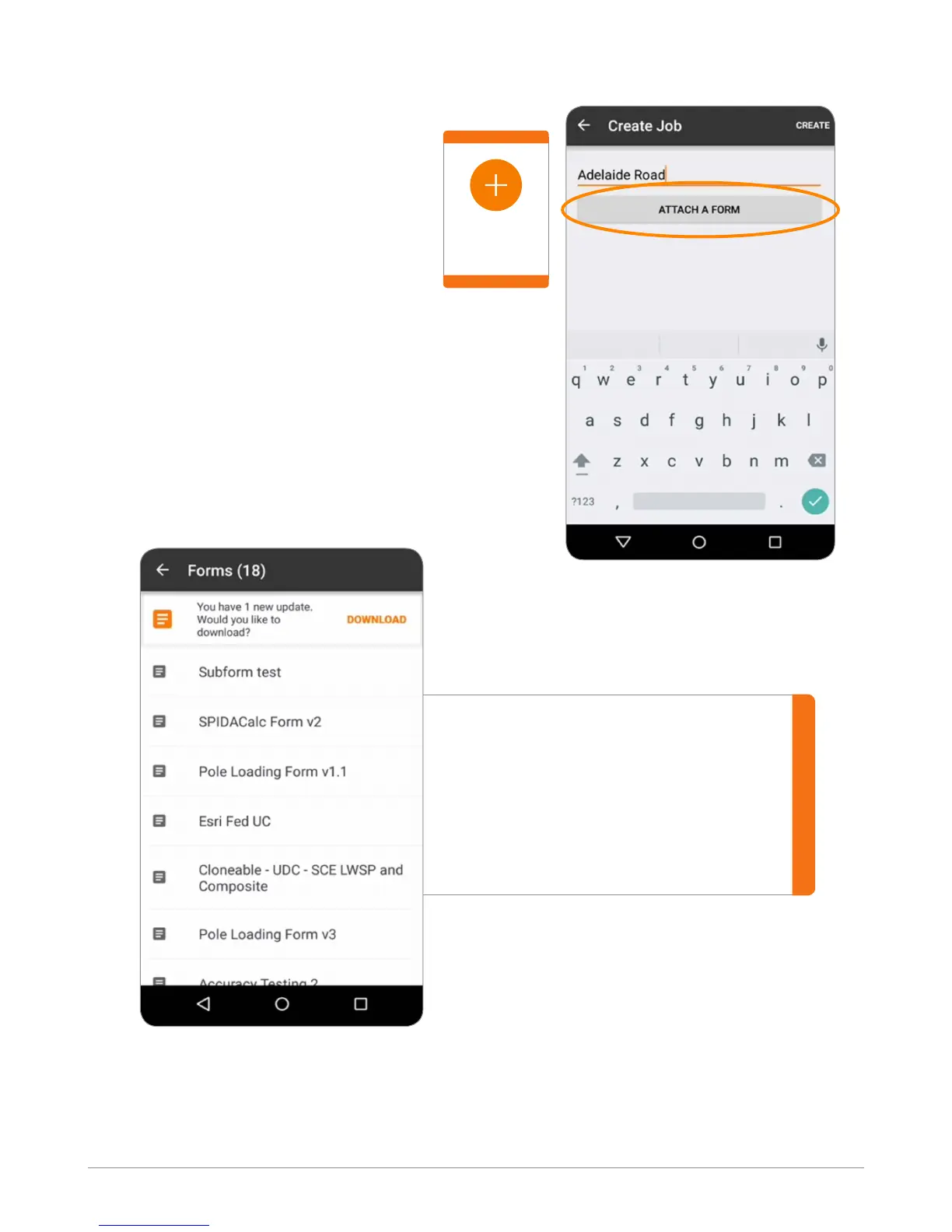
On the My Jobs screen, use the orange
“Add” button to create a new job.
Enter the name of the Job.
Touch “ATTACH A FORM”.
When connected to the Internet, the
page will automatically check for any
available new or updated forms.
Tap DOWNLOAD to download
the latest forms.
When forms are downloaded,
users can access them even
without Internet connectivity.
Create a New Job
Add
Button



 To Next Page