IKE 4 User Manual 39
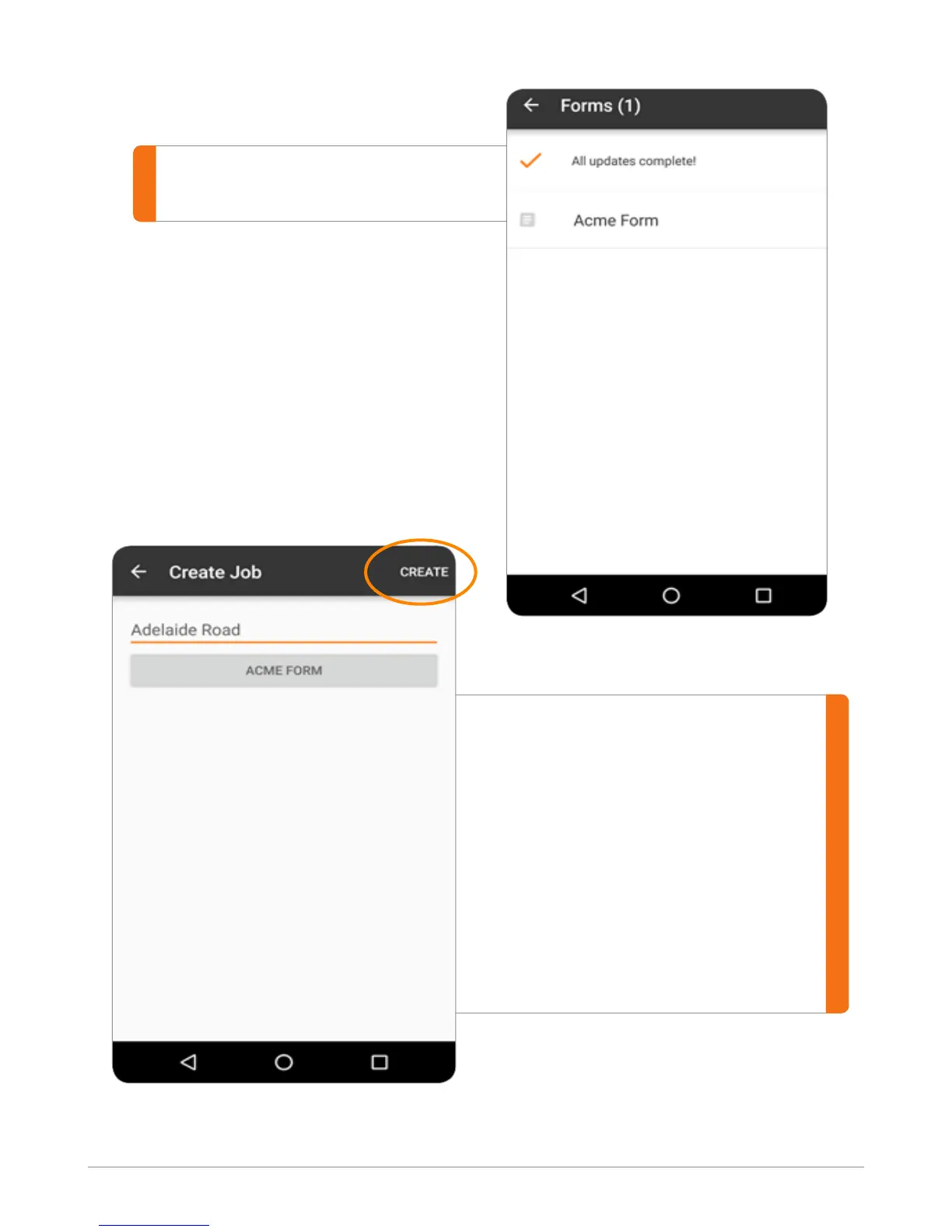
When the job has a name and a
form attached to it, tap the CREATE
button in the top right.
To ensure you have the resources
for data collection, we recommend
creating a job and applying the
form before going on site. If your
IKE device has Wi-Fi connectivity in
the eld, you will be able to receive
form updates.
Select the form you want to use.


 To Next Page