58 IKE 4 User Manual
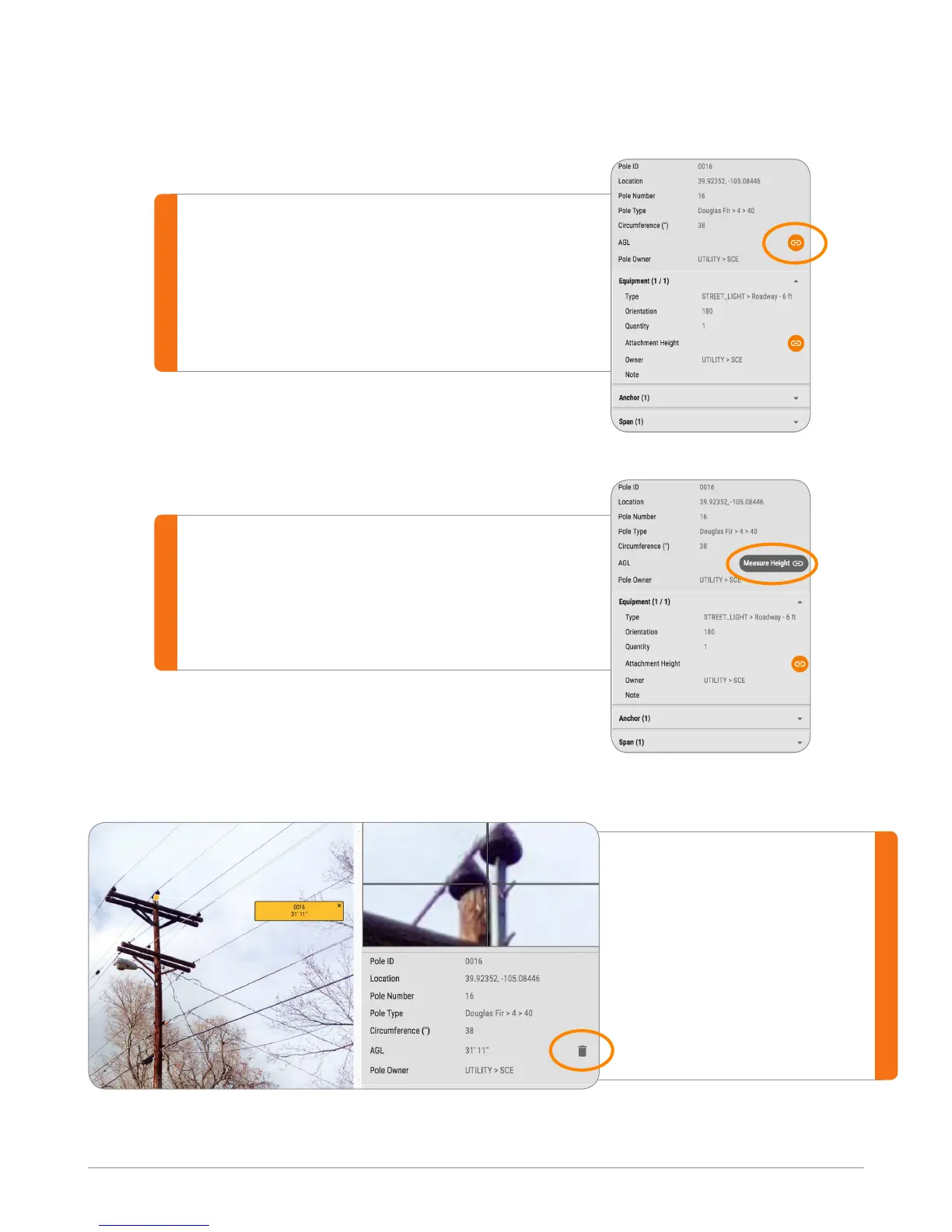
#1
Once the base is set on the photo,
measurable elds will be highlighted
with an orange “Link” button.
#2
Click on the orange link button, the
button will change into “Measure Height”.
Linking Photo Measure to Field Data
#3
Click on any attachment
to get the height
information. Note that the
height is populated to
the eld. Use the “Delete”
button to remove the link.


 To Next Page