IKE 4 User Manual 57
Toolbar
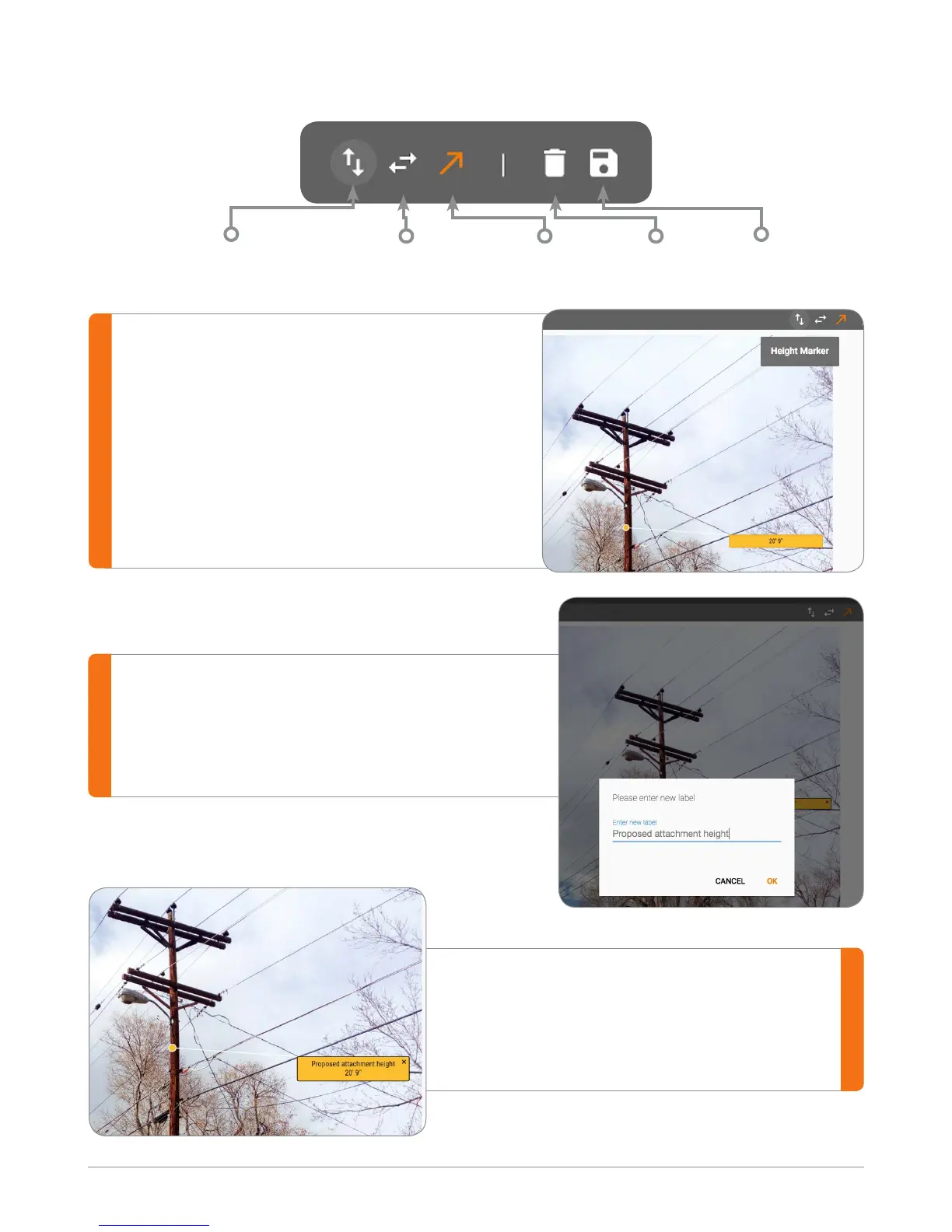
Measure Height
Select the Height Marker and click anywhere
on the pole to measure the height.
A label is displayed with the measurement.
Drag the label anywhere on the photo to
position in the best location.
Editing the Label
To modify the label, simply double-click on
the label and enter the desired text or name.
When done with the label modications,
choose “OK” to complete and the label
will be displayed on the image.
Height Marker Width Marker Select Delete Save


 To Next Page