56 IKE 4 User Manual
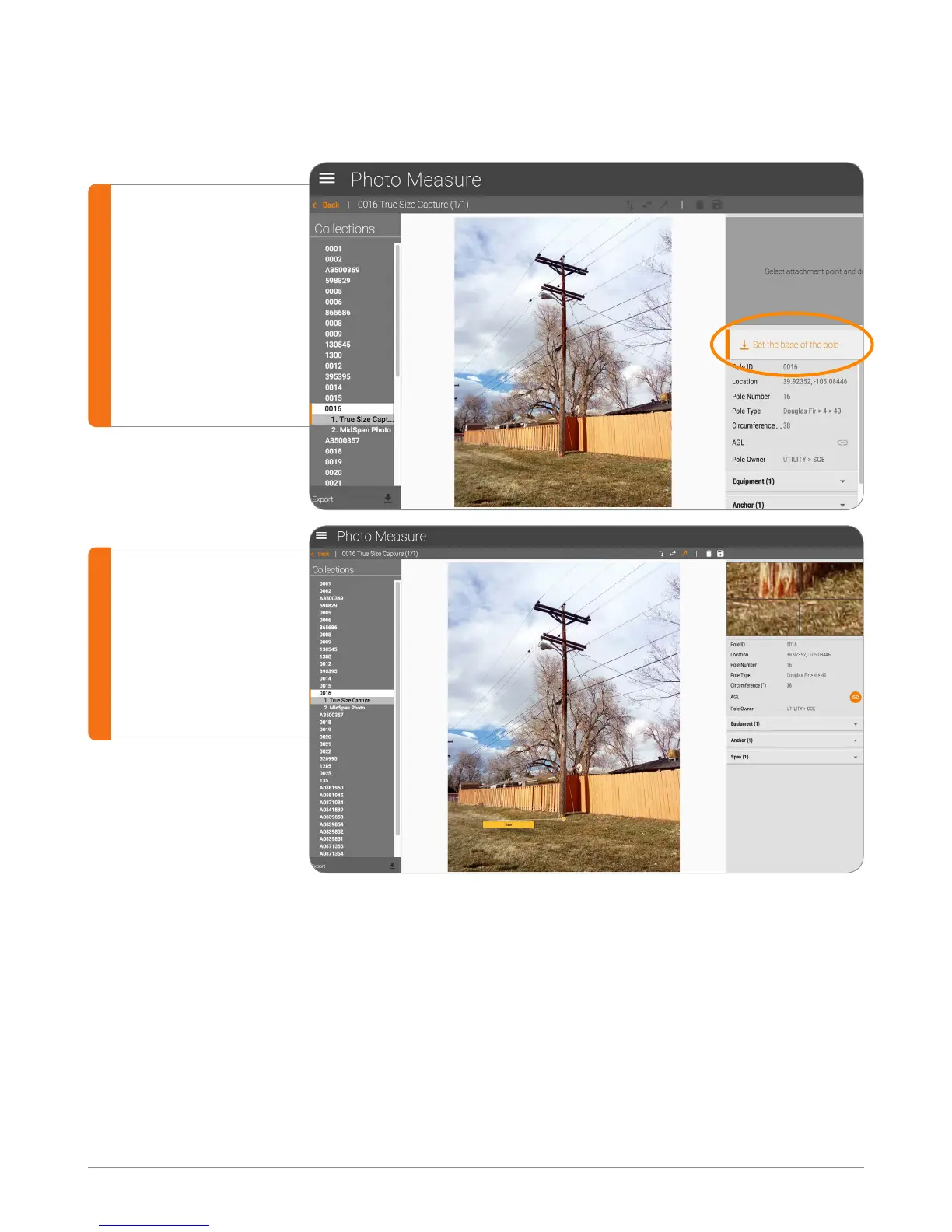
Click on “Set the
base of a pole”
on the right hand
panel, then click
on the bottom of
the pole on the
photo.
Use the Zoom
window on the
top right corner
to accurately
adjust the height.
Set Base
Before making any measurements on the photo, the base needs to be set.
Set Base Offset
Base offset is commonly used when the base of the pole is covered with vegetation
or snow.
You can set the base offset by:
a. Moving the base to a known height on the pole
b. Double clicking on the base label
c. Entering the offset value (such as when a measurement stick is used)


 To Next Page